Suppose you have a photo of someone, but you don't know much about them.
Maybe you're trying to check whether a dating profile is using a stolen picture, find the original source of a photograph, or discover whether someone is using your image without permission.
Whatever your reason, AI reverse image search can be a useful starting point.
Instead of searching with a name, you upload a photo to find matching images and related public web pages.
However, finding the same photo online doesn't necessarily mean you've identified the person in it.
Pictures get reposted, fake accounts use stolen images, and face-search tools can sometimes match people who simply look alike.
That's why knowing where to search is only half the process.
You also need to understand what the results mean and how to verify them.
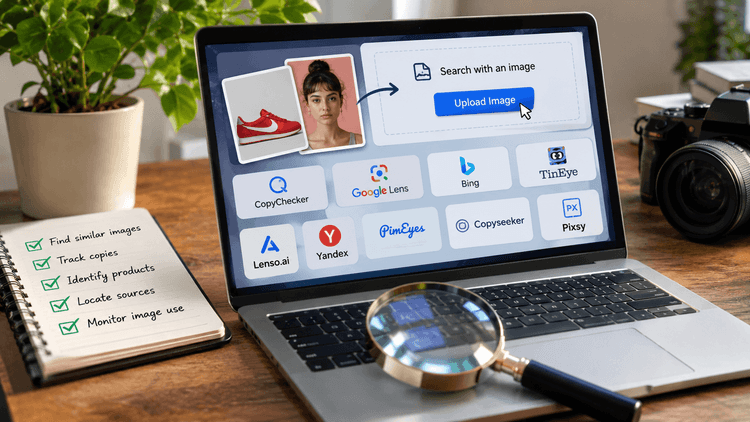
In this guide, you'll learn how to find a person online using a photo with CopyChecker, Google Lens, and TinEye.
We'll start by looking at what's actually possible, then walk through each search method and explain how to check potential matches without jumping to conclusions.
So let’s start with -
Can You Really Find a Person Online Using Only a Photo?
Yes, sometimes.
Your chances depend on whether the photograph, or another recognizable image of the same subject, appears on publicly accessible websites that a search tool can find.
However, there are three different outcomes worth understanding.
- Finding the Same Photograph: A reverse image search might locate an identical profile picture on a website, blog, or public social media page. This is particularly useful for checking reused images.
- Finding Visually Similar Faces: Face-search technology may return pictures of people whose facial features resemble those in your uploaded image. These are possible leads, not confirmed identities.
- Identifying the Actual Person: This requires additional, reliable information beyond visual similarity. Even if a photograph appears beside someone's name, the page could be using a borrowed image or an incorrect caption.
For example, imagine searching a profile picture from a suspicious dating account.
The same image appears on a photographer's portfolio featuring a stock model.
You've discovered something useful: the dating account may be using a photograph that isn't unique to its profile.
But you haven't established who operates the account.
This is why choosing the right search method matters.
Some tools are better at finding copies of the same photo, while others look for similar faces or provide clues about where an image came from.
CopyChecker also covers other practical uses of reverse image search, such as tracing image reuse and checking public sources.
Here's how to decide which one fits your search.
Which Photo Search Method Is Right for You?
Not every photo search tool works the same way, so the best choice depends on what you're trying to find.
Some help locate copies of an image, while others focus on similar faces or clues from public websites.
The table below compares each method, what you can expect from it, and the limitations to keep in mind before starting your search.
| Method | Best For | What it Can Return | Main Limitation | Safety Note |
|---|---|---|---|---|
| CopyChecker AI Reverse Image Search | Checking photo reuse | Duplicate, similar, and source-page results | Coverage varies | Verify the original page |
| CopyChecker Face Search | Comparing a consented face photo | Similar faces and public image results | False matches | Never assume identity |
| Google Lens | Finding image context | Similar images and websites | Not dedicated to person identification | Avoid private-person speculation |
| TinEye | Finding reused or edited copies | Matching, resized, and cropped photographs | No facial recognition | Check original context |
| Text or username search | Investigating visible public clues | Public profiles, websites, and references | Names can be reused | Avoid private information |
| Image metadata | Reviewing your own original file | Camera or creation details | Usually little identifying information | Don't disclose location metadata |
| Platform reporting tools | Addressing impersonation | Reporting and review options | May not reveal account ownership | Use official procedures |
Now that you know what each method can help you find, the next step is putting them to use.
You don't need to try every tool, but following a clear process can help you get more useful results and avoid misleading matches.
How to Find Someone Online Using a Photo Step-by-Step
Before you begin, make sure you have a legitimate reason to search and the right to use the photograph.
For example, you might want to check whether your own image has been reused, investigate a suspected fake profile, or find the public source of a photograph.
If you plan to reuse a photo you found, first check whether the image is copyrighted.
However, a publicly available image doesn't automatically give you permission to investigate someone's private life.
Avoid uploading sensitive photos or images taken from private conversations and closed groups without a legitimate basis.
Be especially careful with photos of children or vulnerable people.
Remember that uploading an image to a third-party service means sharing it with that service, so review its privacy policy first.
Never use the results to monitor, harass, or expose someone's private information.
Once you've confirmed that your search is appropriate, you're ready to start -
Step 1: Use the Best Available Version of the Photo
The image you choose can make a noticeable difference to the results.
A small screenshot with heavy compression offers less useful visual information than a clear original photograph.
Cropping can help, but removing too much background may also eliminate valuable context.
Start with these steps:
- Choose the Original Image: If you have access to it. Avoid screenshots of screenshots whenever possible.
- Check Clarity: A visible face, natural lighting, and minimal blur are helpful when using face-based search.
- Keep the Full Photograph: Background details, watermarks, clothing, and visible text may help locate the original image.
- Create A Separate Crop: If the image contains several people or distracting objects.
- Avoid Altering Facial Features: Try to do it with aggressive sharpening, filters, or AI enhancement.
- Save Both Versions: In this way, you can compare the results later.
Suppose the photo shows a person standing at a public conference with an event banner behind them.
Searching only the face might return similar-looking people.
Searching the complete photo could locate the original event gallery because the banner and background provide extra context.
Neither approach guarantees results, which is why it's worth testing the full image before changing the crop.
Step 2: Run an AI Reverse Image Search
With your image ready, begin by checking whether the same photograph or a visually related version already appears online.
CopyChecker's AI-powered reverse image search can return duplicate images, similar photographs, and links to pages where related images appear.
Here's how to use it:
- Open CopyChecker AI Reverse Image Search.
- Upload your photograph using the image-upload area, or enter a supported image URL.
- Review the applicable consent and privacy information before proceeding.
- Start the image search.
- Examine the returned images and source links, paying attention to duplicate and similar-image results.
- Open potentially relevant source pages to check where and how the image is being used.
- Record useful public information, such as the page title, image credit, publication date, or organization.
- Compare the evidence before drawing any conclusions.
The important part isn't simply finding a picture that resembles yours.
It's understanding what the result actually shows.
So, now the question is how to interpret the results?
Imagine you have a photograph from a public speaker's website.
You search it and encounter three types of results:
- Exact Match: The same photograph appears on another website.
- Modified Copy: The image has been cropped or resized but still appears to be the same photograph.
- Similar Image: The result shows a visually related picture that may feature a different person.
The first two help you check where a particular photograph has been reused.
The third requires much more caution.
A result linking to an image-hosting site also isn't necessarily the source.
Websites can copy photographs without credit, and search indexes don't cover every page.
CopyChecker's results depend on its available image sources and matching capabilities.
An empty result doesn't mean the photograph is unique, and a matching result doesn't confirm ownership or identity.
For a broader explanation of image-search techniques, see how to do a reverse image search.
If you need more alternatives, the AI reverse image search tools tested with real images guide compares what different tools returned.
Step 3: Try a Dedicated Face Search
An ordinary reverse image search often works best when the same photograph appears in multiple places.
But what happens when a consenting subject wants to check whether other public photographs of them appear online?
This is where face-based search can offer a different type of result.
Unlike tools focused mainly on duplicated photographs, face-search technology analyzes facial similarities.
It may surface images showing a similar face even when the photograph, clothing, or background has changed.
To try this method:
- Open CopyChecker Face Search.
- Choose a clear photo of your own face or someone who has consented to the search.
- Upload the image or enter a supported image URL.
- Start the search and review the resulting photographs.
- Separate identical photographs from pictures showing merely similar facial features.
- Open relevant public source pages to examine their context.
- Discard results that rely only on a weak facial resemblance.
A facial resemblance is not an identity confirmation.
People can look remarkably similar, especially when a search image is blurry, partly covered, or taken from an unusual angle.
Lighting, expressions, filters, and image quality can affect the results.
A face-search result may also come from an unrelated page that provides no reliable information about the person pictured.
If you're searching your own photograph or helping someone who has explicitly consented, try Face Search to check for additional public appearances.
Treat every suggested match as unverified until reliable evidence supports it.
Step 4: Search the Photo With Google Lens
Google Lens is another useful option because it searches images alongside broader web context.
Google's image-search results can include visually similar pictures, recognizable objects, and websites containing the same or related images.
Let’s see how to use Google Lens on a computer -
- Visit Google.
- Click the camera-shaped Search by image icon.
- Upload your photograph or paste its image URL.
- Review the image-search results.
- Adjust the selected region if Google is focusing on the wrong part of the picture.
- Open relevant websites and compare their images with your original.
You can also use Google Lens through the Google app on Android or iPhone.
Try to search the background when the face isn't enough as well.
Suppose the photograph shows a person standing in front of a recognizable public landmark.
Rather than searching only their face, include the landmark in the selected area. This may help Google find related event photographs, public galleries, or other visual context.
If the image contains a public organization name or event title, you can add those words to refine your search.
Google's official image-search instructions explain how to upload photographs, search with image URLs, and refine visual results.
You can also review Google's Visual Search History settings to understand how eligible image searches may be saved to your Google Account.
However, Google Lens isn't a guaranteed person-identification service. It can return relevant-looking images without proving the people pictured are the same.
If you're deciding between dedicated image-search tools and Google Lens, read AI reverse image search vs Google Lens for a closer look at how the approaches differ.
But what if you're less interested in similar faces and more concerned about whether the exact photograph has been copied or edited? That's where TinEye becomes useful.
Step 5: Check Exact and Edited Copies With TinEye
Sometimes the question isn't whether someone appears in another photograph.
You simply want to know whether a particular image has been copied.
TinEye is especially useful for this purpose.
According to its official documentation, TinEye can find exact and altered copies, including photographs that have been cropped, resized, or color-adjusted.
To search:
- Visit TinEye.
- Upload the image or paste its URL.
- Examine the returned matching photographs.
- Use sorting options such as Most Changed or Oldest to investigate different versions.
- Open the source pages and compare the photographs.
For example, a profile might use a tightly cropped headshot, while a photography website displays the original wider image.
TinEye may help connect those two versions if they are indexed.
However, TinEye does not perform facial recognition.
It generally won't find an entirely different photograph simply because it contains the same person.
There's another important limitation: the oldest indexed result isn't necessarily the first time the photograph appeared online. Search engines discover pages at different times.
Use TinEye to investigate image reuse, not to establish identity or definitive original ownership.
Step 6: Search Visible Clues From the Image
Not every useful clue comes from someone's face.
Sometimes the surrounding image contains more searchable information than the person pictured.
Look for details that are openly visible and appropriate to investigate:
- A public username or display name
- A photographer's watermark
- A company or organization logo
- A public event title
- A website address
- A recognizable product or venue
- Text printed on a sign or banner
Consider a photograph featuring a public event badge, with the event name visible but the personal details covered.
Searching the event title may lead to an official event gallery where the photograph originally appeared.
Another example is a portrait carrying a photographer's watermark.
Searching that credit may help you find the photographer's portfolio or the image's licensing source.
You can use text recognition, or OCR, to read visible public text when it's difficult to type manually.
However, don't extract or publish private phone numbers, home addresses, identity documents, financial details, or medical information.
Now you might be thinking, should you check image metadata or not?
If you own the original file, its metadata may provide technical details such as when the image was created or which camera produced it.
Some original photographs may also contain GPS coordinates, so be particularly careful when sharing files.
Metadata is not a reliable way to identify the person pictured.
Social platforms frequently remove metadata, and the information that remains may describe the device or editor rather than the subject.
Step 7: Verify the Possible Match
Finding a possible match is only the beginning.
Next, determine whether the available information actually supports your interpretation.
Imagine you've found the same portrait on two public websites.
One page contains a person's name and professional biography. Another uses the photograph without any identifying information.
Does that establish the person's identity?
Not by itself.
The second website might have reused the image without permission, and the first might contain incorrect information.
A stronger conclusion requires at least two independent, credible public signals.
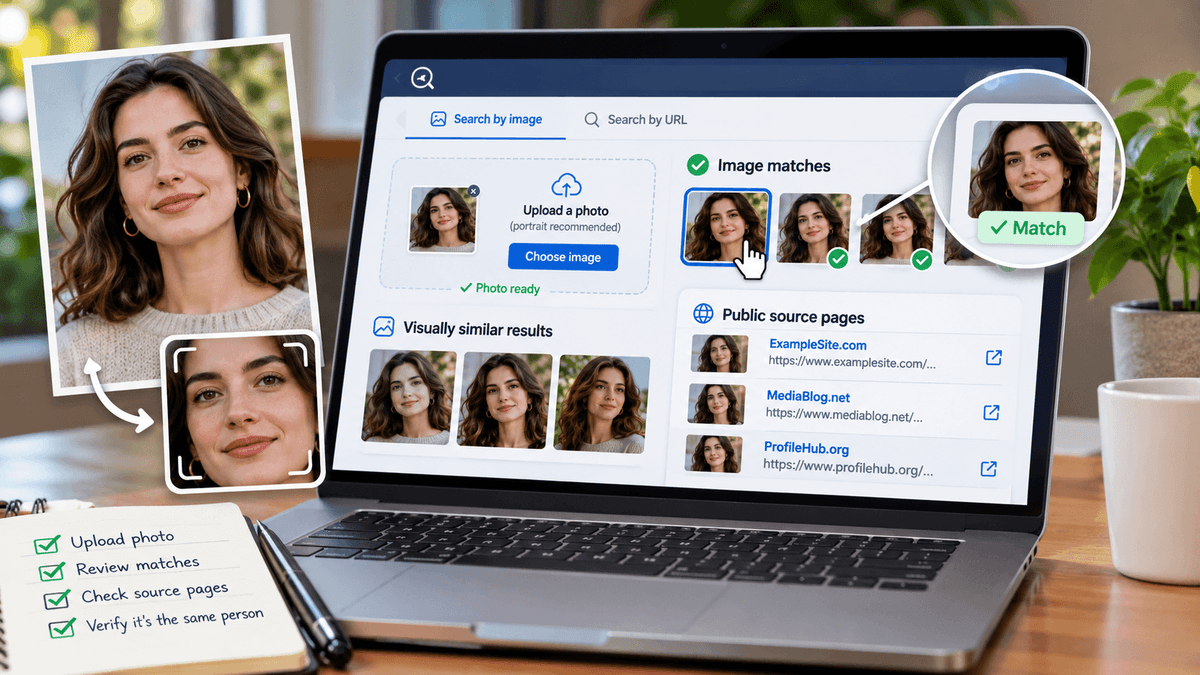
You can follow the photo search verification checklist below:
- The photograph matches exactly or has clearly identifiable shared details.
- The result comes from a credible public source.
- Names and descriptions are consistent across independent sources.
- Publication dates and image history make sense.
- An official website or verified public account supports the association.
- No contradictory information suggests the image was reused incorrectly.
Not every item needs to be present, but the evidence must support the specific conclusion you're considering.
For example, finding the same photograph on an official speaker profile and in a separately published conference program is stronger evidence of a public association than finding two scraped copies of one unverified profile.
Two websites repeating the same incorrect caption aren't necessarily independent confirmation.
That's why you should watch for misleading matches cautiously.
Try to be particularly careful when:
- The faces are similar, but the photographs are different.
- The photo appears on unrelated accounts with conflicting names.
- The image comes from a stock-photo website.
- The page contains little context or appears to scrape content.
- The photograph has been heavily edited or may be AI-generated.
When the information conflicts, treat the result as unverified rather than assuming you've identified the person.
One common situation is finding the same photograph on different profiles, each using a different name.
This can raise questions about whether the image has been reused, stolen, or taken out of context.
So, now let’s find out -
What to Do If the Photo Appears Under Different Names
Discovering the same photograph on profiles using different names can be unsettling, especially when you've been communicating with one of those accounts.
But don't immediately assume the person shown is responsible.
The photograph may have been stolen from an innocent individual.
It could also be a licensed stock image, a fictional account image, or a legitimate photograph reused without context.
Start by preserving the evidence.
Save the public page URLs, relevant screenshots, dates, and profile names without collecting unnecessary personal information.
If you've encountered the image on a dating platform and suspect fraud, avoid sending money, identification documents, or additional sensitive information.
The Federal Trade Commission recommends reverse-searching profile photographs and checking whether they appear under different names or with conflicting details.
The FTC also advises people who suspect a romance scam to stop communicating with the suspected scammer and report the activity.
You can report suspected fraud through ReportFraud.ftc.gov and use the relevant platform's impersonation or scam-reporting process.
If you've already sent money, contact your bank or payment provider promptly to ask about available recovery options.
For more practical warning signs, read CopyChecker's guide on how to find fake profiles.
Most importantly, don't publicly identify or accuse the person pictured simply because their image appears on a suspicious account.
While finding the same photo under different names can raise concerns, sometimes your search may not return any relevant matches at all.
That doesn't necessarily mean the photo is genuine or that the person has no online presence.
Which takes us to the next question -
Why You May Not Find the Person Using A Photo?
Even after trying different image-search tools, you might still struggle to find the person you're looking for.
That's because these tools can only search the images and public pages available to them.
If a photograph hasn't been indexed, appears only on a private account, or has been heavily edited, it may not show up in the results.
Some photographs exist only in private messages, restricted accounts, or websites that aren't searchable.
Others may be too new to appear in an image index.
Image quality can also limit results.
A blurry screenshot or a heavily filtered face gives a search engine less reliable visual information.
A photo that has been extensively edited may no longer closely resemble indexed copies.
You might also be searching an AI-generated portrait that has never appeared elsewhere online.
And even when a real person has public accounts, they may use completely different photographs.
So, what should you try next then?
First, retry with the original full image.
If that produces little useful information, try a different crop.
Next, compare another image-search service.
Different services may index different sources and match photographs differently.
If you have relevant public text from the photograph, search that information separately.
You can also use CopyChecker's standard reverse image search for another image-search workflow.
If these methods still don't produce credible evidence, it's best to accept the uncertainty.
A missing result doesn't mean the photograph is authentic, fake, private, or unique.
But even when your search does return a promising match, the process doesn't end there.
What you do with that information matters just as much as how you found it, especially when another person's privacy or reputation is involved.
Let’s find out -
What Not to Do After Finding a Possible Match
Photo-search results can make it tempting to investigate further, particularly when you think you've discovered something suspicious.
But a possible match doesn't permit you to intrude into someone's private life.
Don't publish private contact details, addresses, account information, or other identifying data that could expose someone to harassment.
Avoid contacting the person's employer, family, friends, or acquaintances to question them about the image.
Don't send repeated messages to people who merely resemble the subject, and never threaten or publicly accuse someone based on an automated match.
Avoid services offering leaked personal databases or claiming to reveal hidden accounts.
Don't attempt to bypass privacy settings.
Finally, remember that a face-search result is not legal proof of identity or wrongdoing.
If the issue involves impersonation, fraud, or unauthorized image use, use official reporting procedures and preserve relevant evidence.
Responsible searching isn't about finding every possible detail.
It's about answering a legitimate question without creating unnecessary harm.
FAQs
Can I Find Someone on Social Media Using a Photo?
Yes, reverse image search may find public social media profiles using the same photo. However, private accounts are generally inaccessible, and a matching photo doesn't confirm someone's identity.
Can Google Lens Find a Person From a Picture?
Google Lens can find similar images and public websites containing the photo, but it cannot reliably identify a person. Any possible match needs independent verification.
What Is the Difference Between Face Search and Reverse Image Search?
Reverse image search finds identical, modified, or similar images, while face search looks for facial similarities across different photos. Neither guarantees accurate identification.
Can a Cropped Photo Still Work?
Yes, cropped photos can work by removing distracting backgrounds or other people. However, cropping may remove useful details, so try both the original and cropped versions.
Can I Identify a Fake Dating Profile With a Photo?
Reverse image search can reveal whether a dating profile photo appears under different names or on other websites. This may indicate misuse, but it doesn't prove the profile is fake.
Why Does Face Search Show the Wrong Person?
Face search can return incorrect matches because unrelated people may share similar facial features. Blurry images, poor lighting, and filters can also affect accuracy.
Can I Find a Private Account From a Photo?
No, reverse image search cannot access private accounts or bypass privacy settings. It can only find photos or related information available on searchable public pages.
Is It Legal to Search for Someone Using Their Picture?
Searching photos for legitimate purposes may be legal, but laws vary by location and usage. Privacy, consent, copyright, and biometric-data regulations may apply.
What Should I Do If Someone Is Using My Photo on a Fake Account?
Save screenshots and profile links, then report the fake account through the platform's impersonation reporting tools. Use reverse image search to check for other public copies of your photo.
Final Thoughts
Finding someone online from a photograph isn't always possible, and a matching image shouldn't be mistaken for identity proof.
Start with a clear photograph, check for exact and modified copies, and inspect the public pages where results appear.
Google Lens and TinEye can provide additional image context, while face-based searching may offer relevant suggestions when used with appropriate consent.
Always verify possible matches through independent public information.
If the evidence remains uncertain, don't force a conclusion.
For a practical starting point, start a safe image search with CopyChecker to explore where an authorized photograph may appear online.