Plagiarism Checker
 Paraphrasing Tool
 Grammar Checker
 Essay Title Generator
 AI Detector
 AI Humanizer
 AI Citation Generator
 Text Summarizer
 AI Sentence Rewriter
 Essay Checker
 Online Proofreader
 Comma Splice Checker
 Passive Voice Checker
 Sentence Fragment Checker
 Run-on Sentence Checker
 Readability Checker
 Tone Checker


- Plagiarism Checker
- Paraphrasing Tool
- Grammar Checker
- Essay Title Generator
- AI Detector
- AI Humanizer
- AI Citation Generator
- Text Summarizer
- AI Sentence Rewriter
- Essay Checker
- Online Proofreader
- Comma Splice Checker
- Passive Voice Checker
- Sentence Fragment Checker
- Run-on Sentence Checker
- Readability Checker
- Tone Checker

Character Counter
Count characters in one click with our online character counter. Paste your text to check how many characters there are for free

0
Characters

0
Words

0
Sentences

0
Paragraphs


Continue with your current text
No need to paste it again.


What is a Character Counter
A character counter tool lets you count characters of any text instantly. It’s a super helpful tool when you’re writing something that has a text limit.
It could be social media posts, or ad copy. Writers, students, marketers, and developers all work inside character limits. A tweet has a different limit, which ad copy might have another.
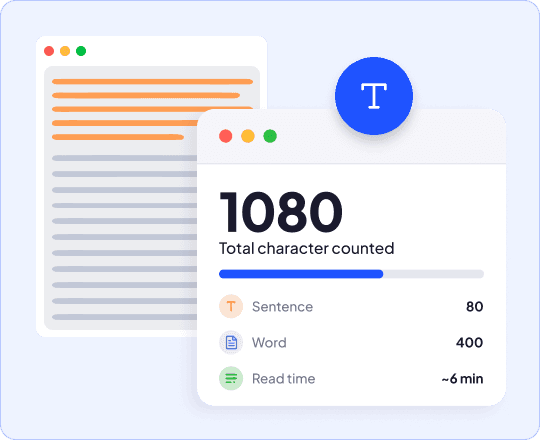
Our characters counter checker uses clever techniques to break down text into the smallest unit and give you detailed statistics. You can check number of characters, character count with and without spaces, and more - all from one tool for free.
How to Count Characters
Paste Your Text
Paste text to check character count or type directly into our letter counter.
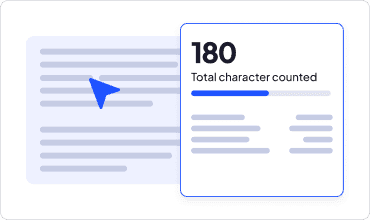
View Character Count
See total character count in real-time along with all other important text statistics.
Edit and Recheck
Need to make changes to your text? Edit right on the input text and see.
Features of Our Character Counter Tool
The simplest and versatile text character counter available on the web

100% Free
Use the chars counter as many times as you want, with no cost, no trial, and no hidden limits.

Count Characters for Anything
Use our char counter for any platform with a character limit. Count characters for an Instagram caption, a Twitter post, SEO titles and meta description. One tool covers every limit you'll ever need to hit.

Realtime Character Counts
Type or paste your text and watch the count update instantly with this character counter with spaces.

Detailed Text Statistics
Get more than just a char counter. See characters with and without spaces and more, all in one place.

Accurate Character Counter
Every letter, number, space, and punctuation mark gets counted correctly, so you always know the exact number of chars in your text.

Truly Online
Our free online character counter works on desktop, mobile, tab, and more. It’s truly plug-and-play, all you need is a browser with a working internet connection.
Benefits of an Online Character Counter
An online and easy-to-use char counter to help you save time and more

Stay Within Limits
Never have your content get cut off. Stay within text limits every time - no matter where you’re posting.

Save time
Skip manual counting or switching between tools to count symbols and chars with this symbol counter.

Improve SEO
Check SEO title and meta description length to show up properly on SEPRs. You can also use this URL character counter to check how long URLs are.

Boost Engagement
Write punchy ad copy, and fit your text to Google Ads character limits so your full message shows.

Avoid Errors
Catch overlong form fields before submission fails. Our character calculator helps you avoid technical errors where character limits are critical.

Use From Anywhere
Count characters online from anywhere and on any device. Save time installing apps, or creating an account.
Free Character Counter Built for Everyone
Write UI copy, create content that meets limits and check length before publishing.

Writers
Write UI copy, create content that meets limits and check length before publishing.
Students
Writing scholarship essays, personal statements, or short answer forms with strict character limits.

Marketers
Use our twitter character counter to write ad copy, captions that need to fit a character limit for posting across Twitter, Instagram, and TikTok, and other platforms.

Job Seekers
Fill out application forms and cover letter fields with character caps easily.

SEO Professionals
Optimize title tags and meta descriptions to fit within Google's display limits. Check URL lengths and more.

Developers
Test form fields, database columns, and UI text with fixed character constraints.

Writing Tools From CopyChecker


Frequently Asked Questions
Our character counter is a free online tool that gives you an online character count. So, you’ve wondered “how many characters is this”, paste it to our tool and see character counts instantly.
Paste or type your content into the box. The number of characters updates in real time.
No. Paste a single sentence or an entire document. There are no word limits at all!
Twitter posts allow 280 characters. Instagram captions allow 2,200. Meta descriptions display around 155 to 160 characters, and title tags around 60.
Yes. Paste your post or caption and check the count before you publish with this Twitter character counter.
About 200 words, or roughly one to two short paragraphs. A quick way to estimate word count from character count is to divide by 5.