
 Plagiarism Checker
 Paraphrasing Tool
 Grammar Checker
 Essay Title Generator
 AI Detector
 AI Humanizer
 AI Citation Generator
 Text Summarizer
 AI Sentence Rewriter
 Essay Checker
 Online Proofreader
 Comma Splice Checker
 Passive Voice Checker
 Sentence Fragment Checker
 Run-on Sentence Checker
 Readability Checker
 Tone Checker


- Plagiarism Checker
- Paraphrasing Tool
- Grammar Checker
- Essay Title Generator
- AI Detector
- AI Humanizer
- AI Citation Generator
- Text Summarizer
- AI Sentence Rewriter
- Essay Checker
- Online Proofreader
- Comma Splice Checker
- Passive Voice Checker
- Sentence Fragment Checker
- Run-on Sentence Checker
- Readability Checker
- Tone Checker

AI Reverse Image Search
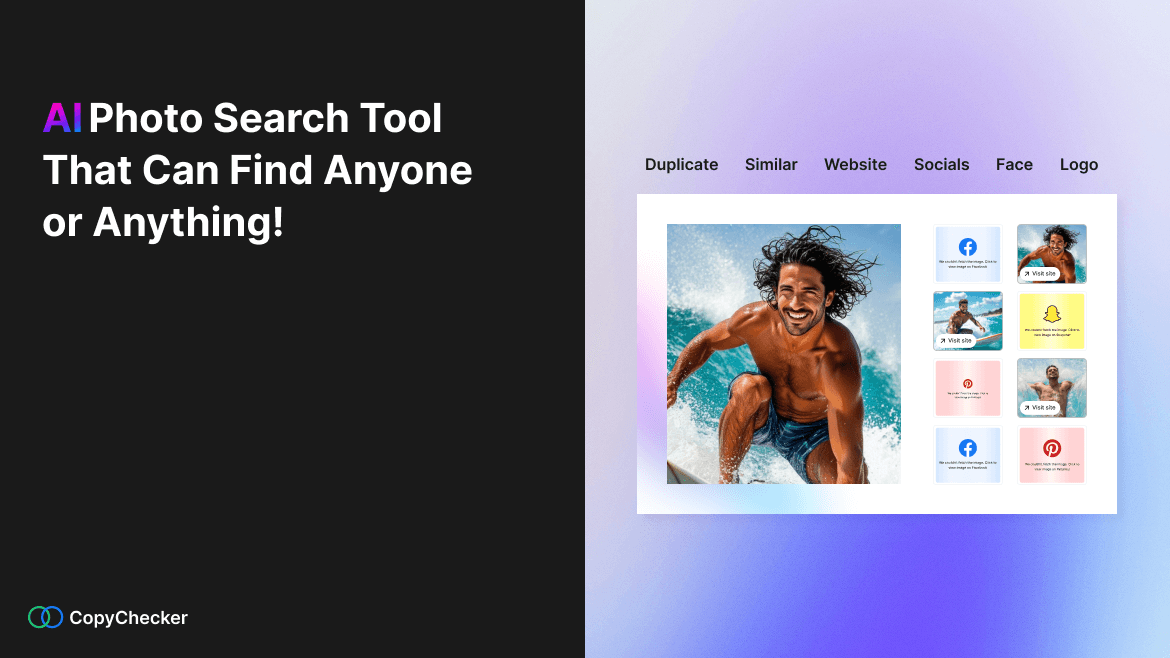
Find photos faster with our online AI image search. Find duplicate images, similar images, places, and people - get links to where the image appears on the web



Trusted By Industry Leaders










Our AI-Powered Reverse Image Search at a Glance
Upgrade for Advanced Image Searches
- 6000 credit search results
- Image search, Face search, Logo search
- Unlimited image Link sources
- Extract Text from images(OCR)
- No watermark
- Ad-free experience

- 18000 credit search results
- Image search, Face search, Logo search
- Unlimited image Link sources
- Geo location from images
- Get Brand names by Logo detection
- Extract Text from images(OCR)
- No watermark
- Priority support
- Ad-free experience
How to Find Similar Images With CopyChecker
Upload Your Image
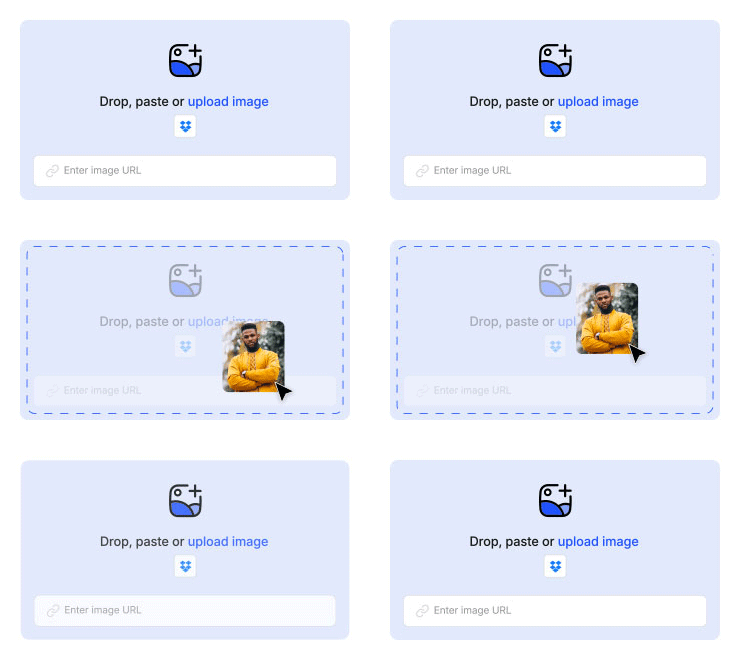
Upload or drag and drop your image, and agree to the consent then click "Search with AI". You can also paste a link to search image by URL.

Let AI Analyze Your Image
Our image finder will analyze your photo and compare it with millions of similar other images.

Get Results
Get duplicate, similar image results, and view image sources, product pages, faces, and more.
AI Image Search Key Features

Advanced Image Analysis
Get image sources, look for partial, or full matches with our reverse photo finder. Additionally detect logos, search faces and landmarks.

Find Duplicate & Similar Images
Find the images you want instantly. The results are conveniently put into categories like duplicates, and similar. So, you can instantly jump to what you’re looking for.

Search for Faces, Products and More
Search for faces within images with ease. Our face finding feature automatically detects faces in images. You can click the face you want to search to find people online.

Search & Detect Logos
Our AI image search engine can instantly identify logos within any image using advanced image recognition. The tool scans for brand marks and symbols, then gives you logo names, other images with the same logo.

Multiple Ways to Search By Image
Search images online anyway you like. Drag and drop your image, upload it directly from your device, or reverse image search with a URL.

Private & Secure
All searches using our AI image finder are encrypted and done in a secure environment. We delete your photos from our servers to ensure your privacy remains intact.
Benefits of Our AI Reverse Image Search
Speed & Efficiency Save time and effort by searching for images online within seconds all from one tool.
Enhanced Accuracy Identify objects and sources accurately when you do a reverse photo lookup using our tool, thanks to our advanced algorithms.
User-Friendly Experience The intuitive interface makes our online image search tool easy to use for everybody.
Works Across Devices Whether you’re on a phone, tab, or a computer, our image search tool works seamlessly across all devices. All you need is an internet connection.
Multiple Uses of Search By Image

Love the look of a creative or a photograph? Search the image to look up other photos like it. CopyChecker’s online photo finder gives you links to the images as well, you can get in touch directly with its creators for collaboration.

Use our visual AI search for creative inspiration when designing. Whether you’re designing a digital product, or something more physical in the real world, our AI reverse photo finder gives you similar images, ideas and design inspiration for any creative work.

Came across an image of a product online but do not know where to buy it from? Use our tool to search for products and get ecommerce site links to buy it and explore similar products.

We meet new people on the internet all the time. But how do we tell they are even real? Catfishing is a real thing. Well, now you can detect catfishing with our facial recognition. Search online profiles, and people with a face search.

Preventing intellectual property theft can be quite a challenge. Thanks to our image search tool, you can not only check who is using your photo without permission, but all variants of misuse and copyright infringement.
CopyChecker’s AI Image Search Engine is Built for Everyone


More Tools You Might Like


Frequently Asked Questions
AI Reverse Image Search lets you search the web using a photo instead of text. Upload an image, and AI analyzes its visual details to find matching or similar pictures online — helpful for finding an image's source, identifying objects or products, or spotting unauthorized use of your photos.
CopyChecker's AI image search engine analyzes an uploaded photo's colors, shapes, patterns, and objects using computer vision and machine learning, then matches it against billions of indexed images to find visually similar results online.
Yes, you will get three free searches per month without any login or signup. After signup, you will get three more. To unlock more advanced features, check out our premium plans.
Our AI-powered reverse image search delivers fast, highly accurate results using advanced computer vision to detect exact matches and closely related images. Accuracy can vary depending on image quality and how widely it's indexed online.
Yes, your privacy matters. Your uploaded image is completely private and secured. We do not store or share your images beyond the search process.
Yes, you can crop or highlight a specific part of an image before searching. Our reverse image search tool focuses only on that section, delivering more precise and relevant visually similar results, perfect for logos or products.
Yes. Our free AI-powered reverse image search tool helps you find lost photos by scanning billions of matching and visually similar images across the web. It can also help you discover image sources and locate photos you have seen before.
Yes. Our tools detect logos to find brand marks inside photos to identify brand usage, fakes, or unauthorized placements.
Yes. You can find people by image on social media using our search by photo tool to check if their personal photos are being used on any social network.
AI Reverse Image Search in Other Languages
 English - AI Reverse Image Search
 Español - Búsqueda de imágenes con IA
 Indonesian - Pencarian Gambar Terbalik AI
 Deutsch - KI-Bildersuche
 Português - Pesquisa de imagens com IA
 日本語 - AI逆画像検索
 Melayu - Carian Imej Songsang AI
 ไทย - ค้นหาด้วยภาพ AI
 Türkçe - AI Görsel Arama
 Italiano - Ricerca per Immagini con AI
 Français - Recherche d’images par IA
 中文 - AI以图搜图
 Русский - Поиск по фото с ИИ

