Ever see an image and wonder who the creative genius behind this masterpiece was? Except the problem is, you found the image randomly online, and there are no credits!
We get the feeling. Whether it’s for more inspiration from the person, or you want to just thank the person for their work, or even if it’s for legal reasons, you might want to know who the original artist is.
If you want to find the artist of an image, you’re in the right place. It can be daunting, but with the right tools and a few clever tricks, you can track down an image's artist more often than not.
Quick Comparison of Ways to Find an Image's Artist
| Method | Best For | Main Advantage | Main Limitation | When to Use It |
|---|---|---|---|---|
| Reverse Image Search | Finding matching images, source pages, and earlier appearances | Fast and can uncover the same or similar image across multiple websites | The earliest result is not always the original creator | Start here when you have only the image and little other information |
| Social Media Search | Finding artists, photographers, and accounts that posted the work | Captions, hashtags, profiles, and comments can reveal direct attribution | Images are often reposted without credit or with incorrect attribution | Use when the image looks like artwork, photography, or social-media content |
| Art Platforms & Forums | Verifying an artist once you have a possible name or clue | Portfolios and specialist communities can provide stronger context and creator information | Usually harder to search if you don't already know the artist's name | Use after reverse image search gives you a possible artist or source |
| Image Metadata | Finding embedded creator, camera, date, or copyright information | Can provide direct technical clues without searching the web | Metadata is often stripped when images are uploaded, downloaded, or edited | Check early when you have access to the original image file |
4 Clever Techniques For Finding The Artist of an Image
There are many tools available that can help you find the original artist or photographer of an image.
Using these tools saves time and improves accuracy. Here’s a look at some essential methods, starting with the image itself:
1. Use a Reverse Image Search Engine
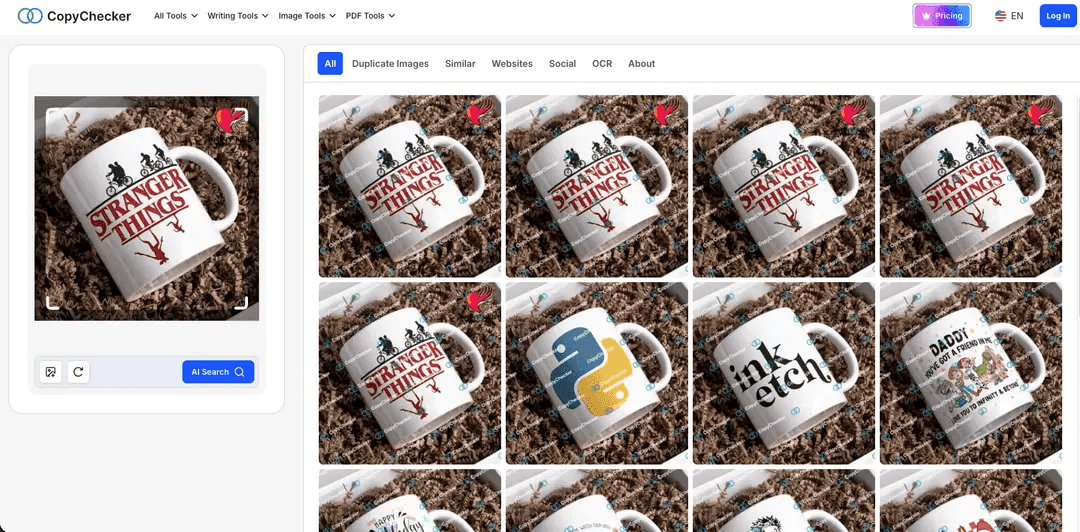
The first and easiest option is an AI-powered reverse image search.
The tool searches the web for similar images. This method is super effective if you need to check whether the image or photograph has been posted elsewhere.
CopyChecker's AI Reverse Image Search tools can show you different versions of the same picture along with its sources.
If you’re trying to find original image details, you might discover a high-resolution version on a website that credits the creator. This method works especially well with photographs.
But if you’re curious about generative artwork, it might lead you to the algorithmic origins or even the artist behind the digital creation.
2. Ask Social Media
It’s the age of information and social media. Today’s creative online world is full of platforms where artists and photographers showcase their work. Sites like Instagram, Pinterest, and Artsy are common places to find online art.
These platforms often have robust search features and hashtags that can help you identify the artist. If an image or photograph caught your eye, check the caption or the profile of the account that posted it.
Alternatively, you can comment and ask who the original creator is. Also, many communities and groups are dedicated to artwork, photography, and more. Reddit also has many cool subreddits.
3. Check Different Platforms or Forums
Artists want to share their work with the world. Naturally, dedicated websites and directories serve as repositories for their creative work.
These directories often include biographies, portfolios, and even links to online stores where you can buy original art.
However, you will need to know the name of the artist first. This technique works best alongside reverse image search. Combining these resources with traditional search methods gives you a broader scope for finding an image's artist.
4. Analyze the Image's Metadata
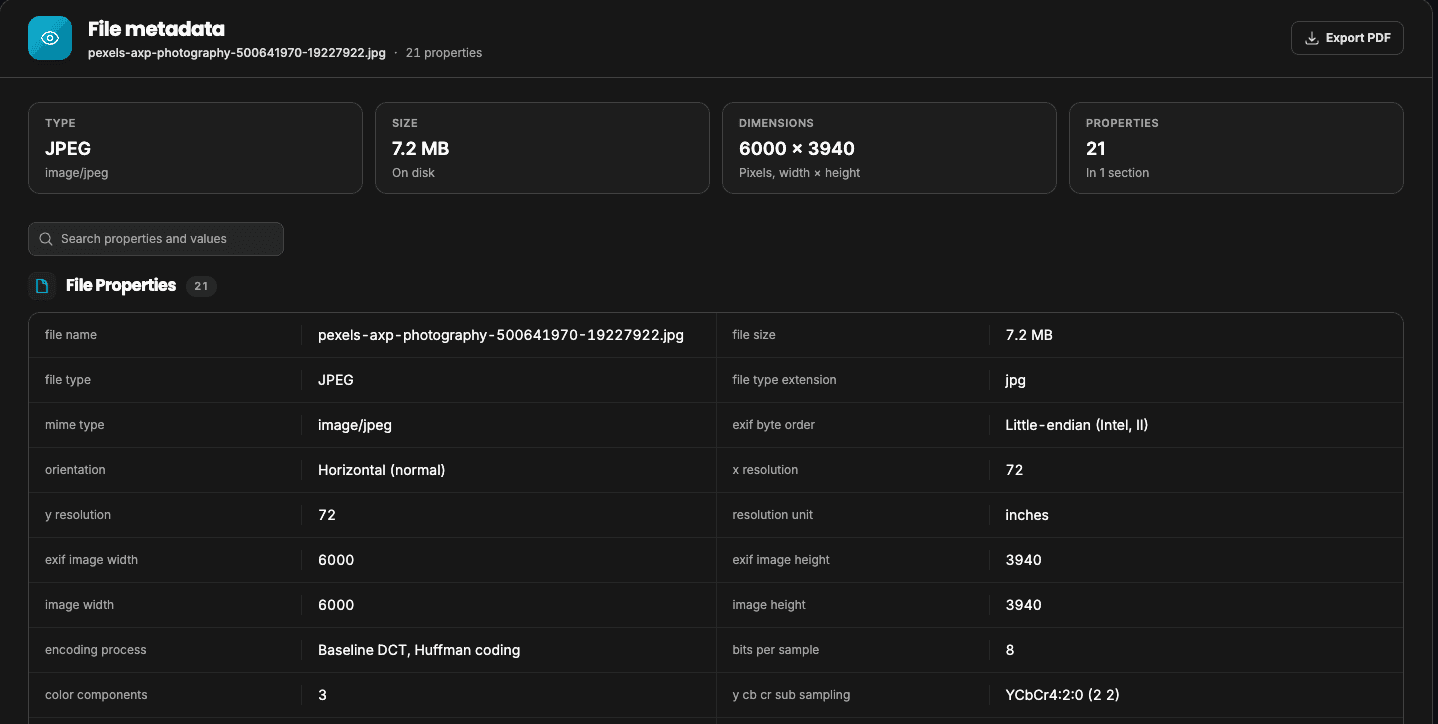
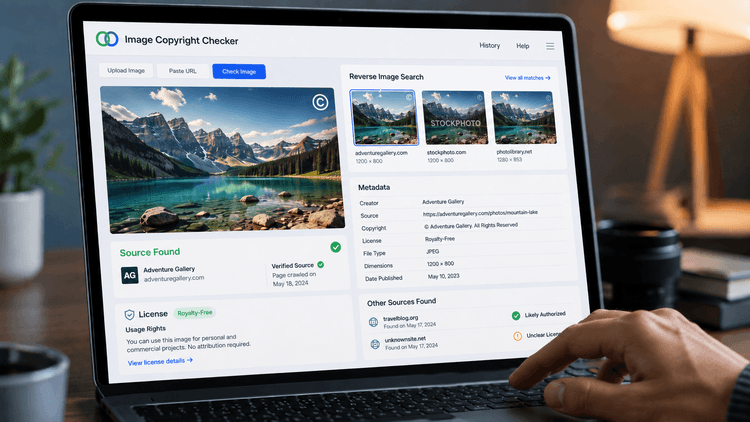
Lastly, what you need to find the original creator might be staring you in the face. Digital images sometimes have hidden information known as metadata. It can include details such as the camera used, the date and time, the place where the photo was taken, and sometimes even the creator’s name.
If you want to find the source of images, check the metadata first by using CopyChecker's AI Image Search. You might save yourself a lot of time. Programs like Adobe Photoshop or free online metadata viewers can help you see this information as well.
Even if the metadata is incomplete, any snippet of information you find can help narrow down your search.
Advanced Strategies for Tough Cases
Sometimes, tracking down an image's original source can feel like trying to find a needle in a haystack. If none of the above methods works for you, here are some advanced strategies you can try:
Watermark and Signature Analysis
Many creators add watermarks or signatures to their work. These marks can be small or subtle, but they’re often key to identifying the artist. If you find a watermark, try searching for it separately online.
Leveraging AI-Based Recognition Tools
Our AI-powered face search tools can now analyze images. They compare the image with a large database of works and might even recognize aspects of generative artwork that aren’t obvious to the naked eye.
There’s a caveat, though. Although AI is pretty advanced now and gets better with each new model release, it can still get it wrong when you're trying to find image source details.
Don’t trust AI blindly. Combining AI insights with traditional search methods often improves your chances of success.
Common Challenges and How to Overcome Them
Even with the right tools, finding the original artist can still be challenging. Here are some common issues you might face and tips for handling them.
Incomplete or Missing Metadata
Not every image comes with intact metadata. Sometimes the metadata is missing or has been deliberately removed for privacy.
When this happens, you can use reverse image search in creative ways. Look for any small details or hints that might have been left behind in the image itself.
Misattribution and Reposts
One problem you might run into when searching for the photographer of an image or the creator, is misattribution. The same image might be posted on several websites with different credits.
Always check for the earliest version of the image. Look for publication dates and context clues that might indicate the true source. Dig deeper if you come across conflicting information.
Edited or Modified Images
Images that have been cropped, filtered, or edited are another set of hassle. Editing can also remove details that could point to the original source.
Of course, if you know an image is edited, you can try contacting the owner of the edited image. See whether they can provide information about the original image.
Otherwise, you can look for unique elements that remain unchanged. Sometimes, a section of the image still holds key details.
Understanding Image Attribution
Finding the original source is one thing. Knowing how you can use the image is another. If you’re looking for the original creator for inspiration, that's one thing.
But if you want to use their images elsewhere, then that's a different ballgame. Copyright laws are strict. So, even if you find the creator, you need to know how to use their images correctly.
Always check the image’s licensing information. If you plan to buy original art or buy a photograph, make sure you have the proper permissions.
If the image is protected by copyright, consider reaching out to the creator for permission. They may offer guidelines or even license the work for a fee.
This respects the artist’s rights and helps keep you legally safe. Image attribution is about acknowledging the creator of an image. Artists, photographers, and digital creators put in countless hours to produce art, and giving credit is the least you can do.
Wrapping Up
Finding the original artist or photographer of an image is both an art and a science. It requires careful observation, the right tools, and sometimes a bit of community help.
By following the steps outlined in this guide—from reverse image search to checking metadata and consulting online art platforms —you should be able to confidently track down an image's source.