Plagiarism Checker
 Paraphrasing Tool
 Grammar Checker
 Essay Title Generator
 AI Detector
 AI Humanizer
 AI Citation Generator
 Text Summarizer
 AI Sentence Rewriter
 Essay Checker
 Online Proofreader
 Comma Splice Checker
 Passive Voice Checker
 Sentence Fragment Checker
 Run-on Sentence Checker
 Readability Checker
 Tone Checker


- Plagiarism Checker
- Paraphrasing Tool
- Grammar Checker
- Essay Title Generator
- AI Detector
- AI Humanizer
- AI Citation Generator
- Text Summarizer
- AI Sentence Rewriter
- Essay Checker
- Online Proofreader
- Comma Splice Checker
- Passive Voice Checker
- Sentence Fragment Checker
- Run-on Sentence Checker
- Readability Checker
- Tone Checker

Plagiarism Checker
Check plagiarism in seconds with CopyChecker and make sure your text is original. Get clear scores and matching source links. You can also remove plagiarism and add citations in your report


Featured In










How to Check Plagiarism

Add Your Text
Paste text, upload a file or write directly in the text editor of the plagiarism detector. You can also paste a webpage URL.
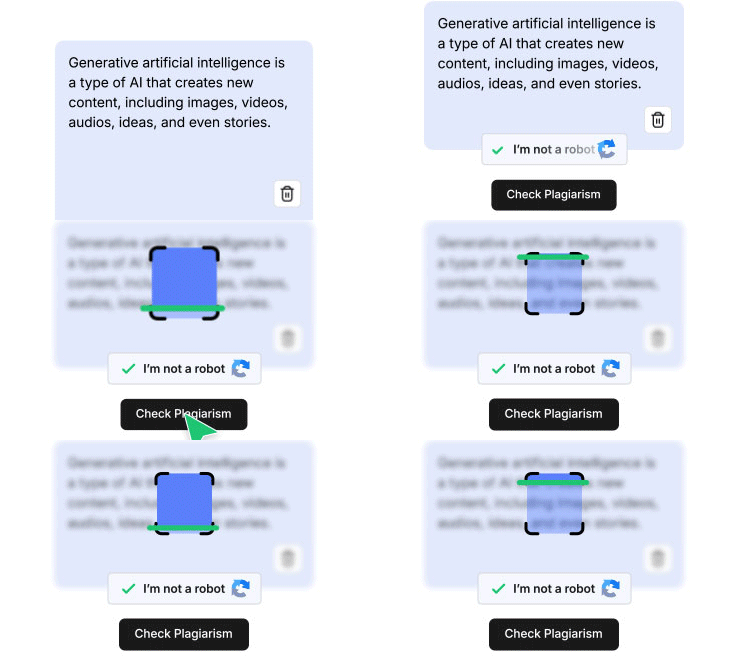
Run the Plagiarism Check
Click the “Check Plagiarism” button. Our plagiarism scanner will compare your text with a large dataset to check duplicates.
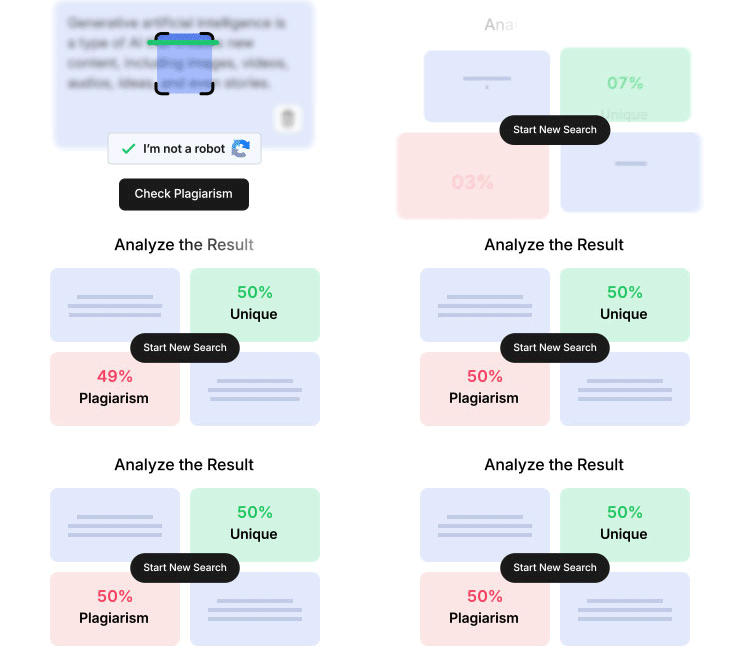
Review Your Report
Get a plagiarism score with all the relevant matching source links and duplicate texts highlighted in seconds.
What Your Plagiarism Report Shows
Get detailed reports that you can share instantly. See what matches, where it came from, and what to fix

Similarity Percentage
See how much of your text may match other content.

Unique Content Percentage
Understand how much of your writing appears original.

Highlighted Matches
Review the exact sentences or sections that may need attention.

Source Details
Check available matching source details so you can verify results more confidently.

Share or Upload to Cloud
Upload your report to Google Drive, or share via email, or on LinkedIn and WhatsApp.

Download In Multiple Formats
Download your report in either PDF or Word format.
Key Features of CopyChecker’s Plagiarism Checker
CopyChecker is designed to help you find plagiarism, review matched text, remove plagiarism and understand your report before you submit or publish your work

Plagiarism and Similarity Score
Get a clear plagiarism percentage and unique content percentage after each scan, so you can quickly understand the originality level of your text.

A Full-Featured Text Editor
Write, edit, and polish your text right inside the plagiarism detector without a full-featured text editor. Bold or underline text, change headings, add hyperlinks, and undo or redo changes without switching tools.

Check Plagiarism by URL
Paste a webpage link into our website plagiarism checker to check its content for similarity without copying and pasting the text manually.

Highlighted Matched Text
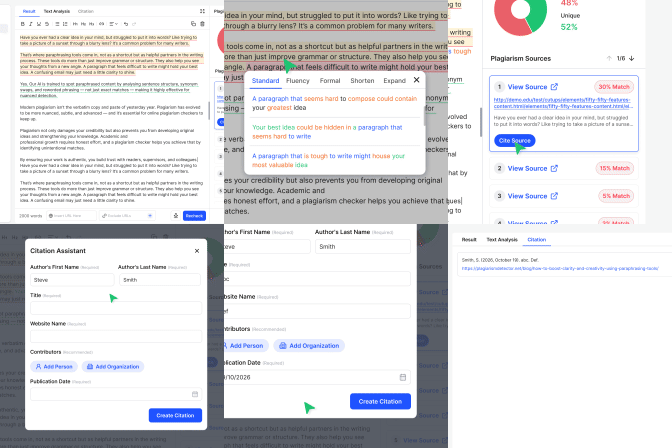
Matched sentences are highlighted inside your content, making it easier to find the parts that may need rewriting, citation, or review.

Remove Plagiarism With One Click
Rephrase sentences directly from the text editor with CopyChecker’s plagiarism remover. Choose between different paraphrasing modes to find the perfect phrasing.

Matching Source Details
Review available matching source details to understand where similar text may appear and verify your plagiarism report more confidently.

Cite Your Sources
Immediately turn matches into proper cited sources. Select a matching source from your plagiarism report and add a citation directly to your writing.

Exclude URLs
Take control of your scan by adding URLs excluded when checking your text for similarity. Our plagiarism finder will skip those pages to give you a fine-tuned result.

Document Upload Support
Upload a document right from your device to check plagiarism. CopyChecker’s plagiarism finder supports PDF, DOCX, and TXT files.

Free Monthly Plagiarism Checks
Create a free account to check plagiarism without paying anything. Your limit resets every month.

Multilingual Support
Check plagiarism in any language without any settings to change.

Detailed Text Statistics
Understand your text inside out. Every scan shows your word count, character count, sentence count, paragraph count, and unique words at a glance.
Write, Edit, Check and Create Genuine Work
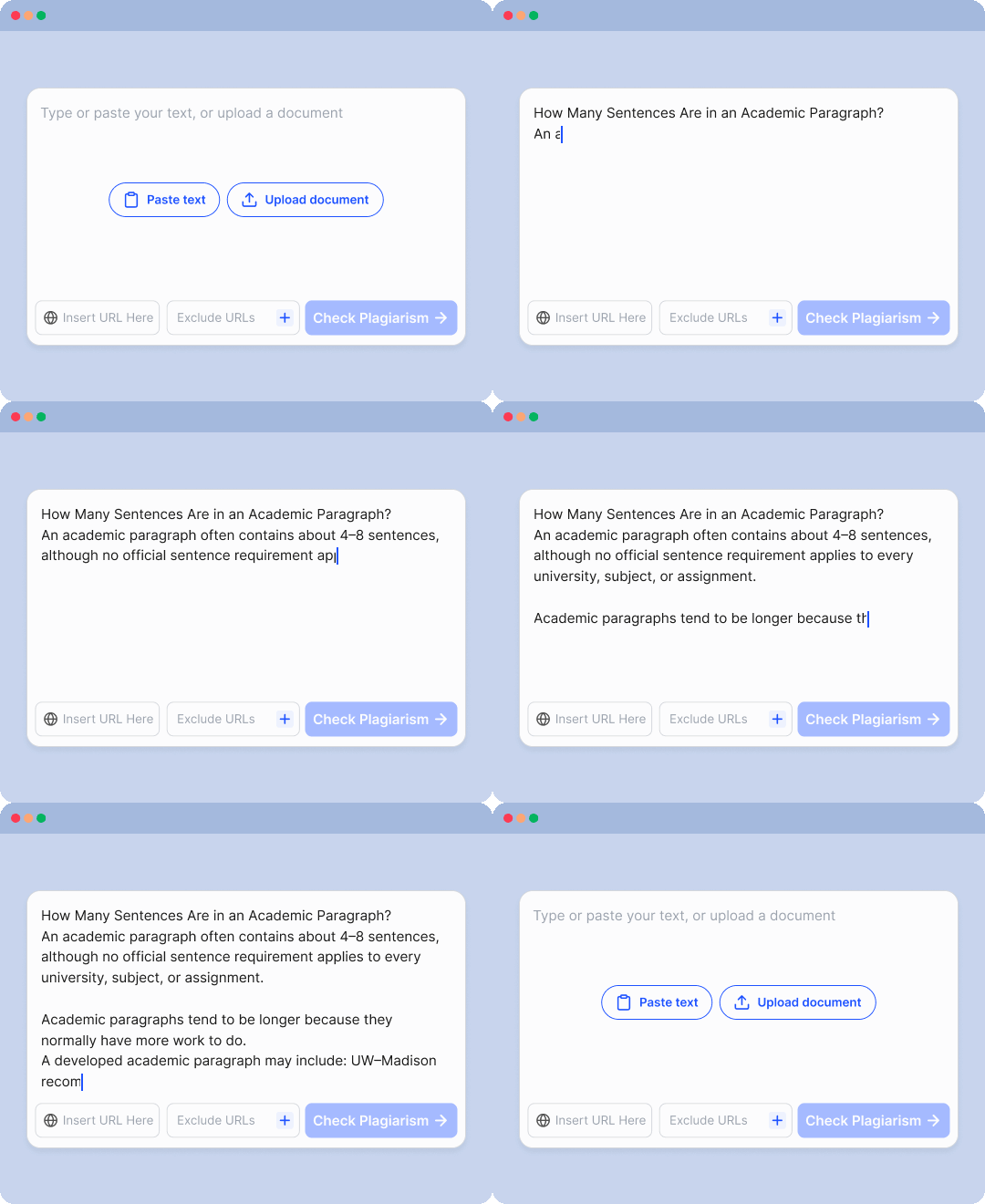
Start Any Project With CopyChecker’s Writing Suite
Our integrated editing workspace gives you a full-featured text editor with rich formatting. Change headings, add hyperlinks, with undo or redo options right from the text editor.
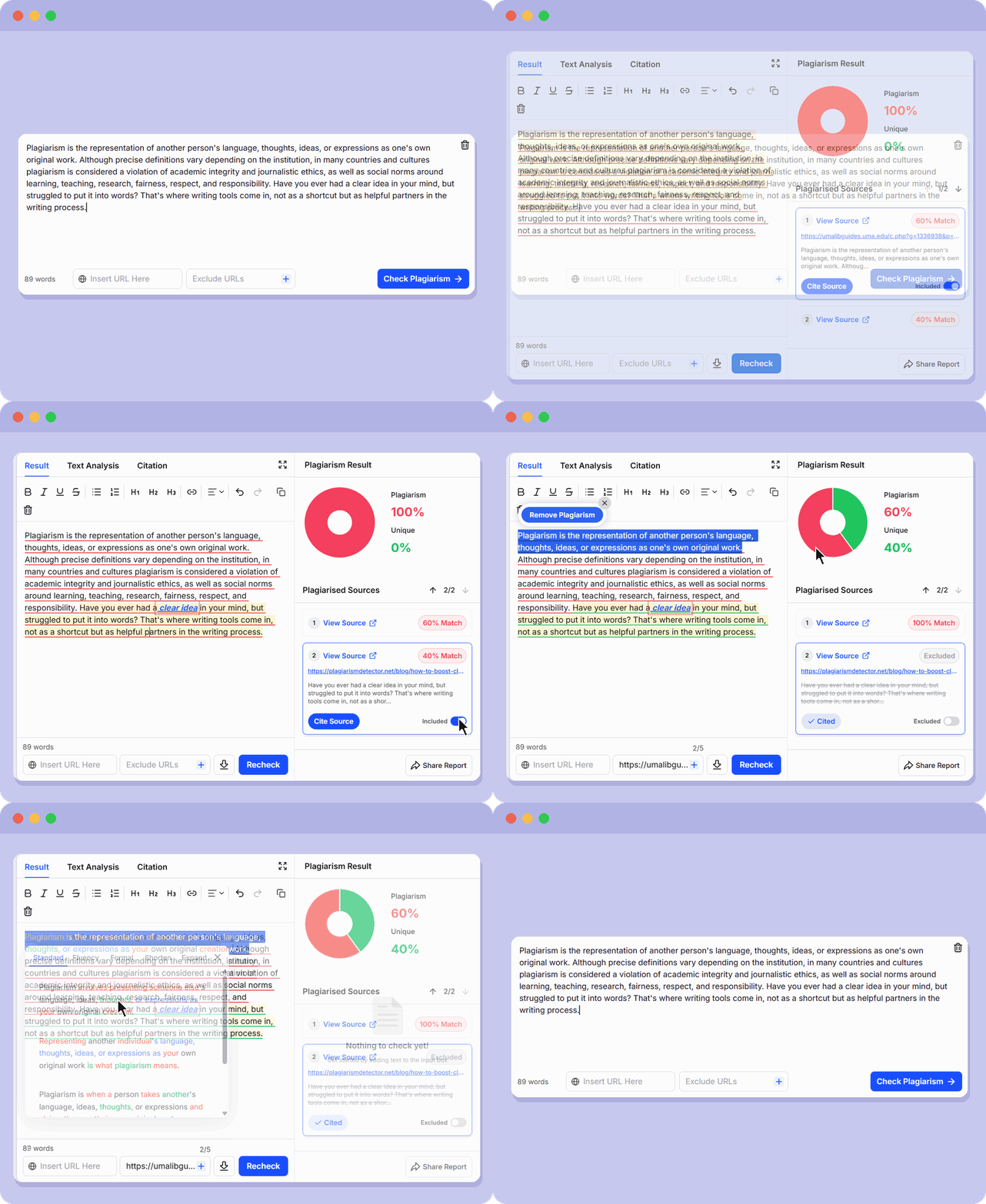
Check Plagiarism Online
Catch similarity in your writing and get an accurate plagiarism score with the help of our AI plagiarism checker.
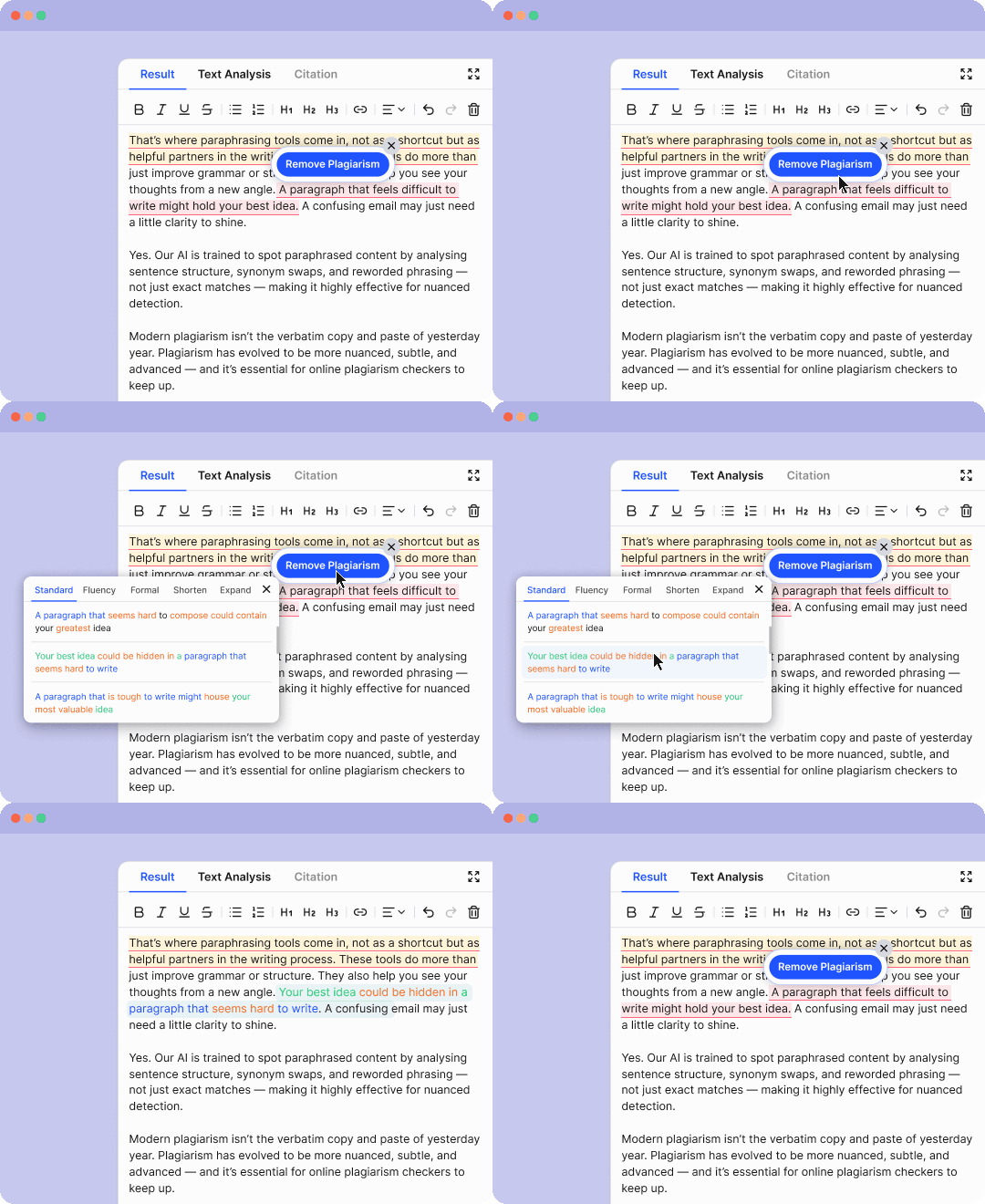
Remove Matching & Plagiarized Text
Select highlighted text and rephrase it directly in the editor while preserving its original meaning. Choose between different paraphrasing modes to find better phrasing and angles.
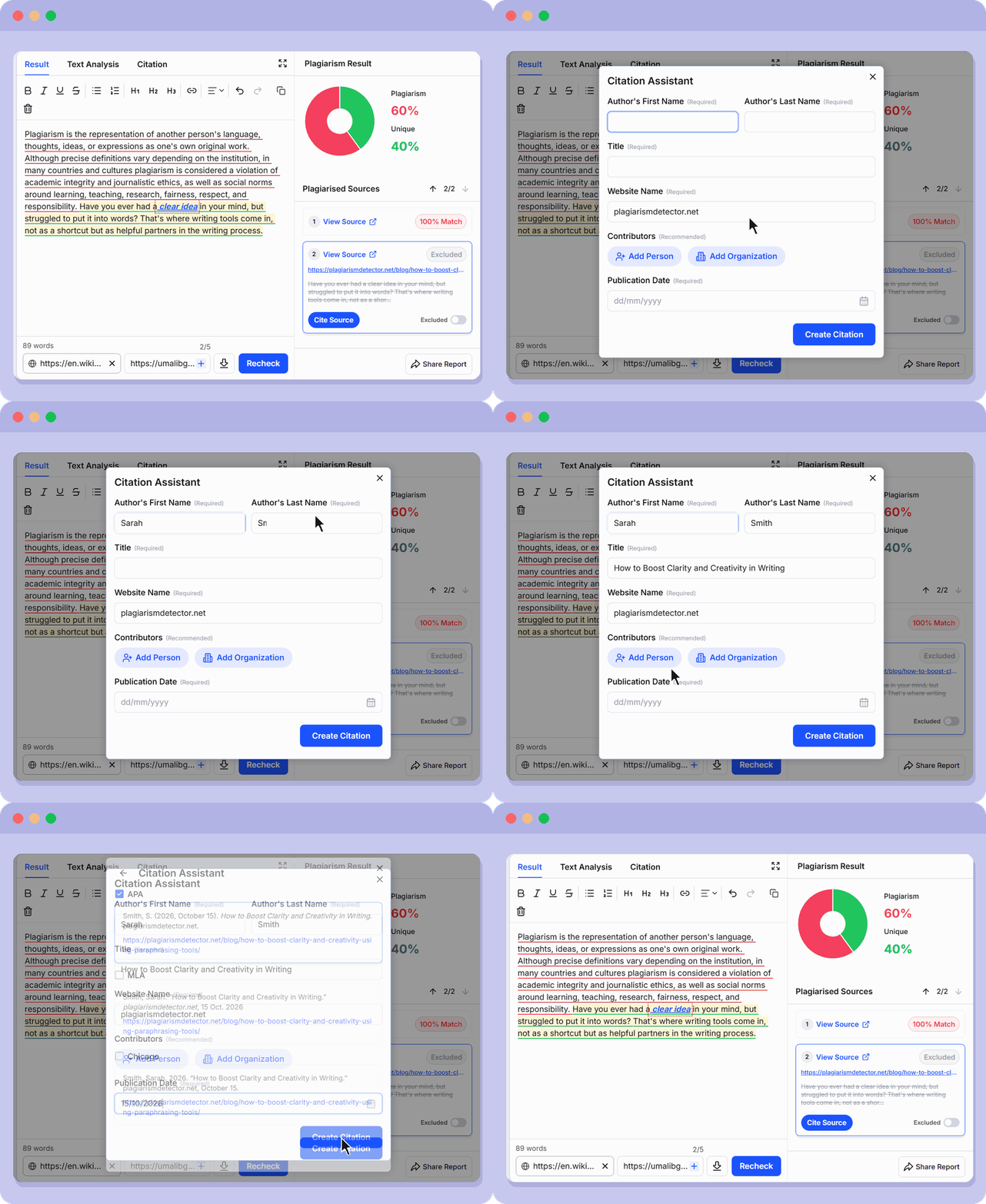
Cite Sources in Multiple Formats
Give credit to original authors for proper attribution when a rephrase is not enough. Click a matching source and add appropriate citations in APA, MLA, or Chicago formats.
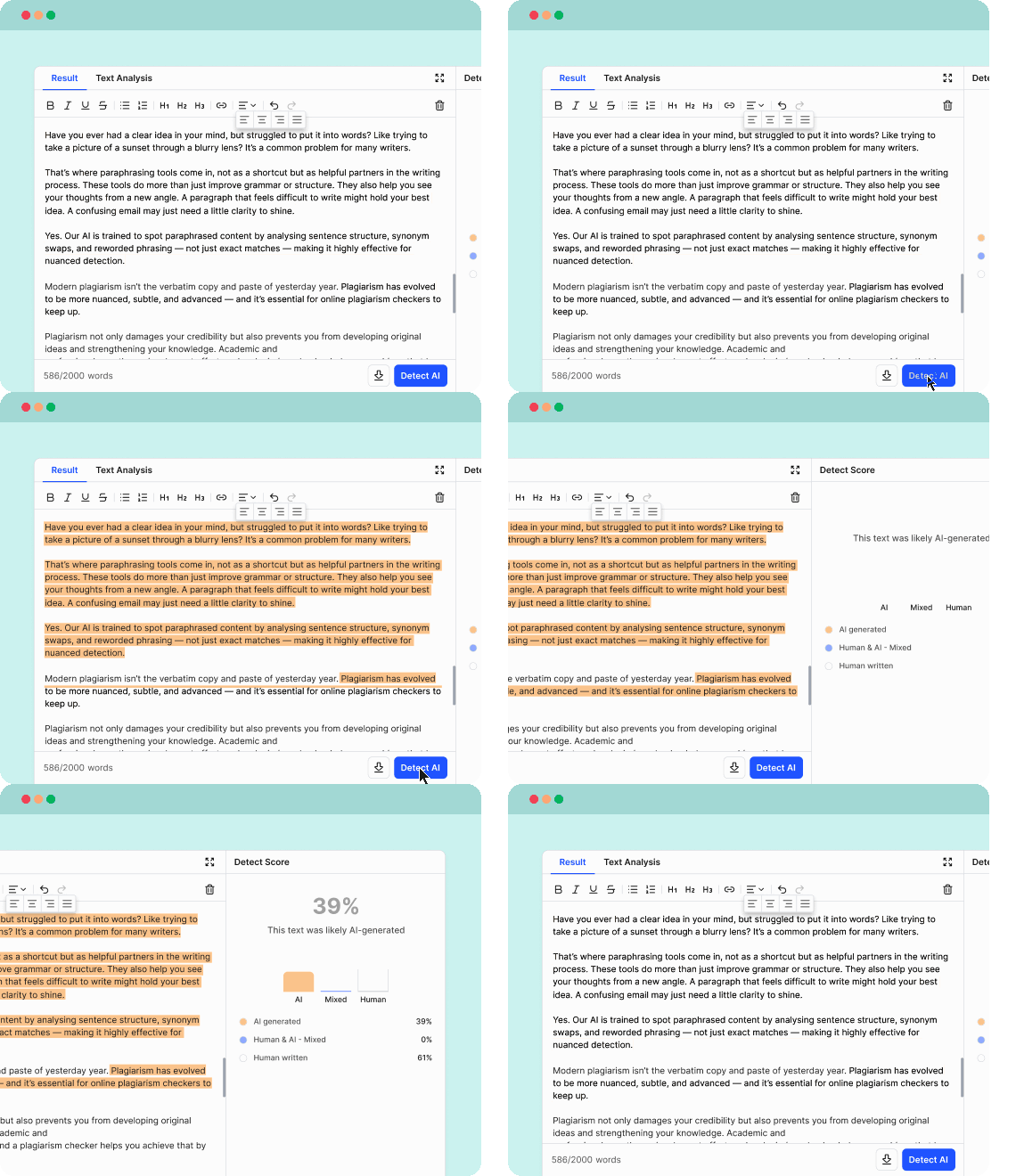
Detect AI Content
Check your writing for AI writing patterns. Get detailed AI detection reports with breakdowns for human and AI-generated percentages.
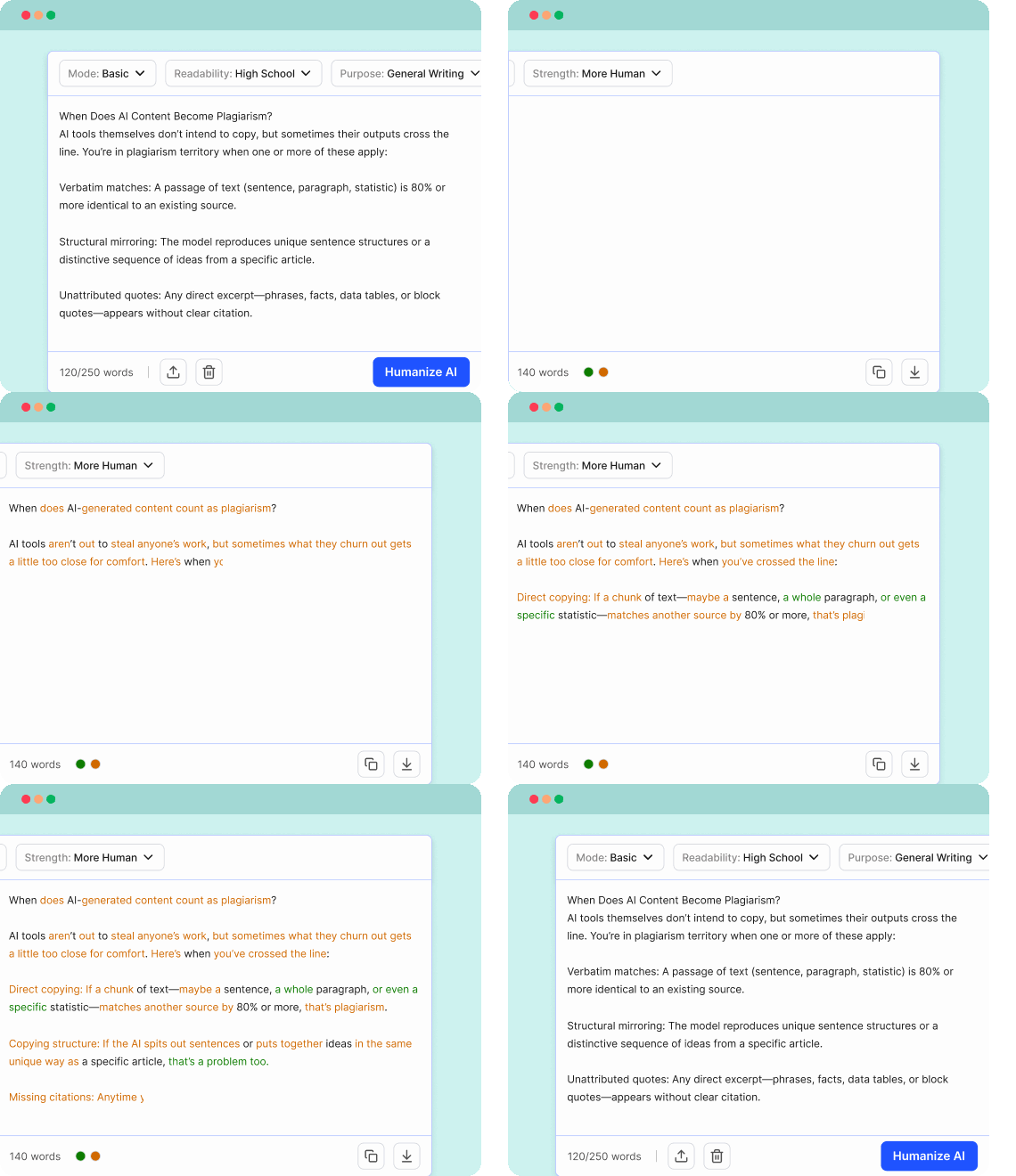
Humanize AI Text Instantly
Turn texts that are flagged as AI into more engaging human-written content with our AI humanizer.
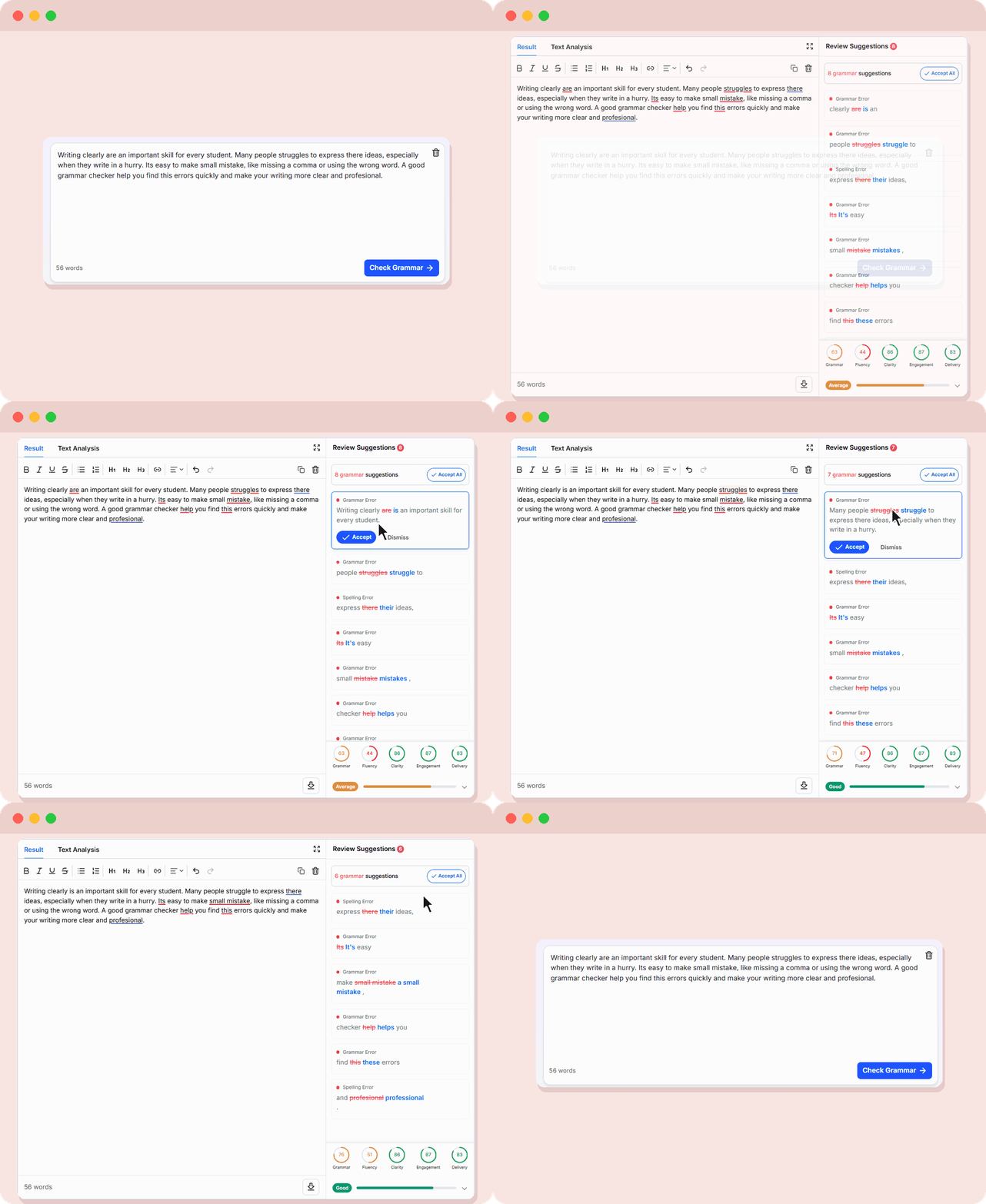
Check Grammar, Spelling & Delivery
Polish your writing further with advanced grammar and spelling checks. Make sure your message comes across clearly with delivery and clarity scores before you submit.
Get More Control Over Your Report
CopyChecker generates your report as a PDF. Use our Split PDF tool to get a specific section you want.
Who is CopyChecker For?
Getting flagged for plagiarism can cause you to lose the grade or worse—get expelled. That is why it is important to always submit original work to maintain academic integrity.
CopyChecker checks your essays, assignments, and your reports for duplicate and similar text with a vast database to give you a clear similarity report.

Students
Getting flagged for plagiarism can cause you to lose the grade or worse—get expelled. That is why it is important to always submit original work to maintain academic integrity.
CopyChecker checks your essays, assignments, and your reports for duplicate and similar text with a vast database to give you a clear similarity report.
Teachers
Review student assignments for plagiarism in one click. AI has impacted education in more ways than one. Drop your student’s assignments and research papers and get AI detection scores as well.
AI detectors can also flag human written content. It is important to understand AI detection scores to grade students fairly.

Writers
Deliver original work every time, whether you write articles, ebooks, or client copy. Plagiarism can cost you clients and credibility, even when it’s accidental.
Many clients also run AI detectors now, and these tools can flag human writing by mistake. Here’s why your human writing gets detected as AI and what to do about it. Check your draft with the AI detector first, so there are no surprises after you submit.
Bloggers
Make sure your blog posts aren’t too similar to existing articles before hitting publish. Paste your draft or enter a webpage URL to check for matching content, review the original sources, and revise overlapping passages.
Rewording a source doesn’t always make the text yours. Learn whether paraphrasing is plagiarism and when you still need to cite or restructure. Then recheck your post so your content stands apart from what’s already ranking.

SEO Teams
Google has always made it clear that their goal is to rank original content that adds value. Plagiarism negatively impacts rankings and can also lead to manual action in more serious cases.
CopyChecker lets SEO teams identify duplicate content across website pages, landing pages, and published articles. Check plagiarism using a webpage URL, exclude specific URLs from your results, and review matching passages before publishing or updating content.

Researchers
Writing a research paper? CopyChecker’s similarity checker can scan research papers, literature reviews, and academic writing for similarities with published sources.
Researchers need to maintain the highest level of academic integrity. Knowing how to check plagiarism in research is one of the most important steps in doing so.

Businesses
Plagiarism can have serious consequences for businesses. Review business reports, proposals, marketing materials, and website content before sharing them with clients or customers.
CopyChecker helps your team identify potentially copied passages, correct grammar issues, and refine documents in one workspace to maintain professional content quality.
Feel Confident about Your Writing


How to Avoid Plagiarism
Most plagiarism is accidental. Good writing habits help you create original work and reduce chances of accidental or paraphrasing plagiarism.
- Track Sources: Note the author, title, and link every time you take information from a source. Do it while you research, not after, so nothing ends up uncredited.
- Understand First: Read the source until you can explain it without looking. Writing from your own understanding is the easiest way of putting ideas in your own words. Swapping synonyms still counts as copying.
- Quote & Add Citations: Use quotation marks for exact wording and when the original phrasing matters, then explain it in your own words. Make sure to also credit sources whenever you use someone else’s idea, data, or wording, even if you rephrase it.
- Add Your Voice: Sources should support your argument, not carry it. Add your own analysis, examples, and conclusions so the writing stands on its own.
- Run a Final Check: Run your text through CopyChecker before you submit. CopyChecker highlights matches, shows their sources, and lets you rewrite and cite them in the same editor.
Why Use CopyChecker Writing Tools
Fast, accurate results with your privacy protected

Accurate Plagiarism Checker
Get a plagiarism percentage that reflects your text, not a guess. The plagiarism checker shows matched passages and their sources, so you can verify every result and know exactly what needs fixing.

Results in Seconds
Paste your text and get your report fast. No long waits, no software to install, and no slowing down your deadline. Scan, review, and fix while your ideas are still fresh.

Safe and Private
CopyChecker never shares your text with third parties or uses it to train AI. Everything you upload or paste is deleted once your results are ready.
Why CopyChecker Is Powerful
CopyChecker also gives you the tools to handle the PDFs, images, and videos that come with every project
PDF Tools
Edit, merge, split, sign, and unlock PDFs without installing software.
Image Tools
Search images, find people and more with our image tools.
Video Tools
Download videos from popular sites and save them directly to your device.
Frequently Asked Questions
Plagiarism is using someone else’s words, ideas, or work without giving them credit. There are different types of plagiarism and a plagiarism checker helps you find these matches before you submit or publish.
The Writing Suite gives you the full set of CopyChecker AI-powered writing tools in one workspace. That includes the plagiarism checker, AI detector, AI humanizer, paraphrasing tool, grammar checker and more.
Yes. You can start from scratch and edit, check and refine it without leaving the page. After you get your results, you can make changes right in the editor and run the check again.
No. Your text carries over from one tool to the next automatically. You do not have to paste anything again when you move between our writing tools.
No, you can start without one. Create a free account to save your projects and documents, and upgrade when you need paid features or a higher word limit.
Yes. Paste your text, click a button, and get clear results with highlighted matches and plain scores. There is nothing to install and no setup, so you can check your first document in minutes.
You can check up to 20,000 words at once with a premium subscription. Free users get 1,000 words per month.
Absolutely. CopyChecker preserves the format when you paste text whether you copied it from a website, document, or a google docs.
It’s a full text editor with AI powered writing tools built in. Format your text, add links, and make any changes you want to your text easily.
No. Undo and redo are free, so you can edit as much as you like without using any credits. Only running a check uses credits.
No. Your progress isn’t saved when you move to another tool, so finish what you’re doing before you switch. Copy your text or download your work first if you want to keep it.
CopyChecker checks your text for exact and partial similarity, highlights each match, and shows source details when they are available. You can verify every result yourself instead of relying on a number alone. No tool can judge intent, so always review flagged passages in context.
The plagiarism percentage shows how much of your text matches other content. A match is not always copying. It can be a quote, a common phrase, or a cited passage.
Exclude URL lets you pick pages the plagiarism checker should skip. CopyChecker won’t compare your text against those pages.
Add the URLs you want ignored and the scan skips those pages. It’s useful when you do not want your published URLs or known pages from showing up in the report.
Lower is better, and many schools and publishers look for a score under roughly 10 to 15 percent. The right number depends on your institution or client.
Yes! You can check 2,000 words for completely free. Premium users get advanced features with additional words.
Yes. Paste a webpage link and CopyChecker checks its content for similarity, with no copying and pasting needed.
You can upload PDF, DOCX, and TXT files and also paste your text, or write directly in the editor.
CopyChecker checks plagiarism in 13 languages, so you can review content for different markets and regions.
Yes. Select a matched source in your results and add a citation straight to your text in APA, MLA, or Chicago format.
Yes. Select a highlighted match and rephrase it in the editor to remove the plagiarism. You can choose between advanced paraphrasing modes to find the right wording and keep the original meaning.
Yes. Writing Suite subscribers can download your report as a PDF or Word file, or share it through Google Drive, email, LinkedIn, or WhatsApp.
Yes. When you’re done editing, download your final text as a PDF or Word file, ready to submit or publish.
CopyChecker never shares your text with third parties or uses it to train AI. Your text is also immediately deleted after generating your plagiarism report.
If you have published your text on a blog or website, submitted it before, or shared an earlier draft online, the checker will find it as a match. Add those URLs to the exclusion list and run the scan again.
Plagiarism Checker in Other Languages
 English - Plagiarism Checker
 Español - Detector de Plagio
 Indonesian - Cek Plagiarisme
 Deutsch - Plagiatsprüfung
 Português - Verificador de plágio
 日本語 - 剽窃チェッカー
 Melayu - Pemeriksa Plagiarisme
 ไทย - เช็ค plagiarism
 Türkçe - Intihal Programı
 Italiano - Antiplagio
 Français - Plagiat Detecteur
 中文 - 查重
 Русский - Антиплагиат