Plagiarism Checker
 Paraphrasing Tool
 Grammar Checker
 Essay Title Generator
 AI Detector
 AI Humanizer
 AI Citation Generator
 Text Summarizer
 AI Sentence Rewriter
 Essay Checker
 Online Proofreader
 Comma Splice Checker
 Passive Voice Checker
 Sentence Fragment Checker
 Run-on Sentence Checker
 Readability Checker
 Tone Checker


- Plagiarism Checker
- Paraphrasing Tool
- Grammar Checker
- Essay Title Generator
- AI Detector
- AI Humanizer
- AI Citation Generator
- Text Summarizer
- AI Sentence Rewriter
- Essay Checker
- Online Proofreader
- Comma Splice Checker
- Passive Voice Checker
- Sentence Fragment Checker
- Run-on Sentence Checker
- Readability Checker
- Tone Checker

Instagram Video Downloader
Download Instagram videos and reels in one click. Paste the URL, then choose your format and resolution to save from Instagram


 HD QualityFast DownloadAny FormatDownload Audio
What Is an Instagram Downloader?
An Instagram video downloader is an online tool that lets you save videos from Instagram to your device. Instead of returning to Instagram whenever you want to watch a video, you can download a copy and access it offline.
Copy the link to an Instagram video, paste it into this instagram video downloader to save videos from IG. You can also download videos in different formats, and quality depending on your needs.
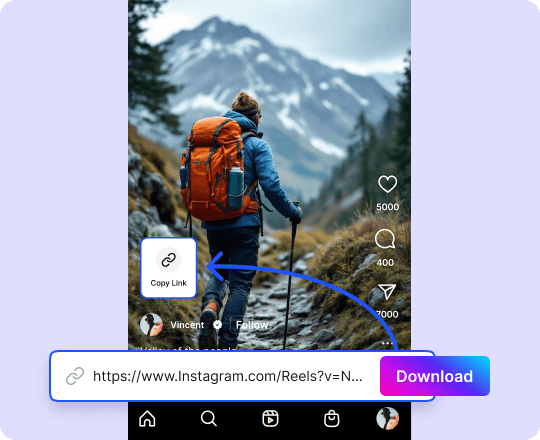
How to Download Instagram Videos
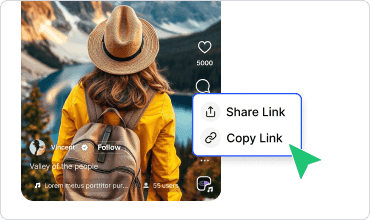
Get Video URL
Click share on the instagram app and copy the video or reel link.
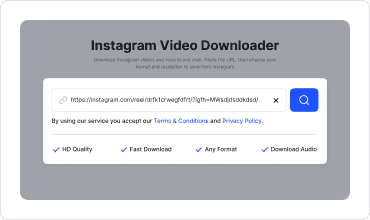
Paste the Link
Paste the URL into our instagram downloader and click “Search”.
Download the Video
Choose the format and resolution and click “Download” to save videos from instagram.
Features of Instagram Video Downloader
A free IG downloader that just works

Download Instagram Videos in HD
Save Instagram videos and reels in high-defination. We don’t compress the downloaded file. You get what you see.

Choose Formats and Resolutions
Download Instagram content in popular formats and resolutions. Pick either a crispier resolution, or a more compatible format to save your instagram videos in—the voice is yours.

Download Instagram Videos Without Audio
Need only the sound? Convert any video or reel into an audio-only file. Extract music, voiceovers, interviews, and more without downloading the complete video.

Download Videos, Reels & Streams
Save instagram reels, videos, and live streams—all from one tool. No need to jump between tools anymore to download different Instagram content formats.

Fast Downloader
Instagram URL download finishes in a moment. Simply choose your desired resolution and format, and let our tool do the rest.

Download Instagram Video Thumbnails
Extract and save the thumbnail or cover image from an Instagram video or Reel. Download the available image in high quality for previews, references, or content organization.
Download Video From Instagram With Ease
Instagram Videos
Download instagram posts with IG downloader with ease. Save to watch from anywhere when you are offline.
Instagram Reels
Save reels with our instagram reels downloader. Keep these short form videos as inspiration close.
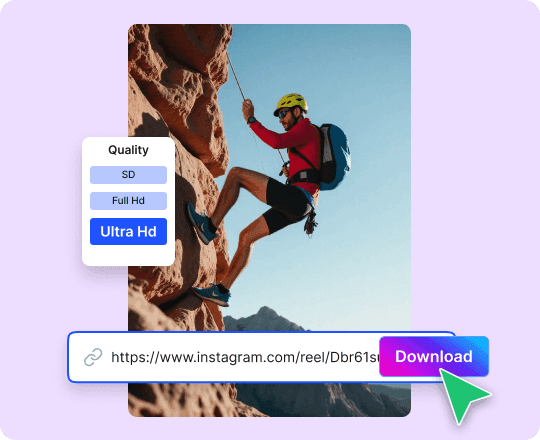
Download Instagram Video HD
Preserve the quality of the videos you download online with CopyChecker’s 4K Instagram downloader.
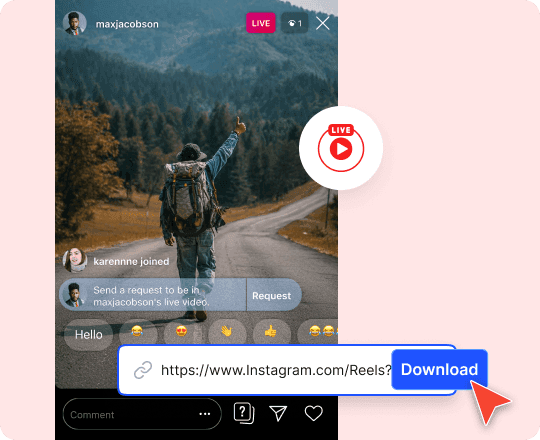
Download Instagram Livestreams
Download Instagram Live videos after they end, and the creator has published the recording as an accessible post or video.
Why Use Our Instagram Video Downloader?
Download instagram video online to access them anywhere and anytime

Save Videos Offline
Download Instagram videos and Reels directly to your device for free. Keep useful or entertaining content available without relying on Instagram.

Watch Videos Offline
Play saved videos anytime, even without an internet connection. Avoid repeated streaming and reduce mobile data use.

Keep Content Organized
Store downloaded videos in folders for easy access. Organize tutorials, recipes, inspiration, and personal content without endlessly searching Instagram again.
Who Is Our Instagram Saver For
Save your own published videos, collect creative references, and organize inspiration for future content

Content Creators
Save your own published videos, collect creative references, and organize inspiration for future content
Marketers
This free Instagram downloader lets you save campaign assets, published posts, and keep approved videos available for reporting or reuse.

Students
Save educational clips, demonstrations, lectures, and visual examples for offline study or classroom use.

Everyday Users
Save recipes, travel guides, workouts, tutorials, and memorable clips that you have permission to download.


Frequently Asked Questions
Copy the link to the Instagram video, paste it into the downloader, and click the download button. Once the tool processes the URL, select the available option to save the video.
Absolutely! You can save IG videos for completely free. No need to signup, or provide credit card information.
Yes. You can paste the link to a publicly accessible Instagram Reel and download the available video to your device.
To download a reel, you can simply paste the URL of the reel as you would for a video. This tool works as an Instagram reel downloader.
You can download a Live video after the broadcast ends if the creator publishes the recording as an accessible Instagram video. The tool cannot download a livestream while it is actively broadcasting.
You can download the video in its available quality. HD downloads depend on the quality of the original Instagram upload and the version provided through the source.
Yes. You can use it through a supported browser on smartphones and tablets, as well as desktop and laptop computers.
No. This is an online instagram video downloader, so you do not need to install additional software. All you need is a browser and a working internet connection.
Private or restricted content generally cannot be accessed through a public video link. The downloader is intended for publicly accessible videos and content you are authorized to save.
Your browser usually saves the video in your device’s default Downloads folder. On mobile devices, the file location may depend on your browser and download settings.
You should only download videos you own, videos in the public domain, or content you have permission to save. Downloading a video does not transfer ownership or give you permission to republish it.
Only repost the video when you own it or have permission from the original creator. Give proper credit when required and follow Instagram’s rules and applicable copyright laws.
IG Downloader Available In Other Languages
 English - Instagram Video Downloader
 Español - Descargador de videos de Instagram
 Indonesian - Pengunduh Video Instagram
 Deutsch - Instagram-Video-Downloader
 Português - Baixador de Vídeos do Instagram
 日本語 - Instagram動画ダウンローダー
 Melayu - Pemuat Turun Video Instagram
 Türkçe - Instagram Video İndirici
 Italiano - Downloader di video Instagram
 Français - Téléchargeur de vidéos Instagram
 中文 - Instagram 视频下载器
 Русский - Загрузчик видео из Instagram