
Have you ever found the perfect TikTok video, copied the link, and thought, "This will only take a few seconds"?
Then you open one downloader after another, only to run into pop-up ads, broken download buttons, watermarked videos, or websites that ask you to install software you don't really trust.
If that sounds familiar, you're not alone!
To be honest, nowadays choosing a TikTok downloader is often more frustrating than downloading the video itself.
Some tools work well on desktop but not on mobile. Others promise HD downloads but reduce the video quality. A few support MP3 downloads or batch downloading, while many simply don't deliver what they claim.
That's exactly why we created this guide. So instead of relying on popularity alone, you can go for multiple options. As here we researched and compared, some of the best TikTok downloaders, to see how they stack up in real-world use.
We considered the features that actually matter, like download speed, video quality, watermark removal, ease of use, device compatibility, advertisements, and useful extras, so you don't have to spend your time testing dozens of different websites.
No matter if you're saving a recipe to watch later, collecting ideas for your next project, managing website content as a creator, or simply looking for the fastest way to download a TikTok video, this guide will help you find the right tool.
By the end, you'll know exactly which TikTok downloader is the best overall, which one works best on mobile, which is ideal for creators, and which one offers the best value for your specific needs.
But before anything else, let’s start with some basics so there remains no confusion at all -
What Is a TikTok Downloader?
If you're new to these tools, it's helpful to understand what they do before choosing one. A TikTok downloader is a service or application that lets you save TikTok videos directly to your device, usually by pasting the video's URL.
Unlike the download option inside the TikTok app, many third-party downloaders can remove the TikTok watermark, preserve the original video quality, or even extract audio as an MP3 file.
Most browser-based downloaders work without requiring you to install any software, making them convenient for both desktop and mobile users.
To be specific, a TikTok downloader is an online tool or desktop application that downloads TikTok videos from a shared URL, often with options such as watermark removal, HD quality, or MP3 conversion.
How to Choose the Best TikTok Downloader
Choosing the right TikTok downloader becomes easier when you compare tools in a simple order. Instead of focusing only on watermark removal, check how well the downloader matches your device, download habits, and preferred video quality.
Step 1: Decide How Often You Will Use It
Start by thinking about how frequently you download TikTok videos. If you only save a few videos occasionally, a browser-based downloader is usually enough, since it doesn't require installation.
If you download videos regularly, manage content, or need to save several files at once, desktop software with batch downloading may be more useful.
Step 2: Check Device Compatibility
Make sure the downloader works on the device you use most. Mobile users should look for a browser-based tool that works well on Android or iPhone, while desktop users can choose between online tools and installable software.
A video downloader tool may work well on a computer but feel slow or difficult to use on a phone, so mobile compatibility matters.
Step 3: Review the Download Options
Check whether the downloader supports the features you need. These may include watermark-free videos, HD downloads, MP3 conversion, or batch downloading.
Do not choose a tool only because it has many features. Focus on the options you will actually use.
Step 4: Check the Video Quality
A good TikTok downloader should preserve the best available video quality. Look for tools that support HD downloads and avoid heavy compression.
Keep in mind that the final quality also depends on the original TikTok video. A downloader cannot improve a low-resolution source file.
Step 5: Look for a Simple Download Process
The best tools usually follow a clear process: copy the TikTok link, paste it into the downloader, choose a format, and save the file.
Avoid tools with confusing buttons, repeated redirects, or too many unnecessary steps. A clean interface often matters more than a long feature list.
Step 6: Check Registration and Privacy Requirements
Choose a downloader that does not ask for unnecessary personal information. Most basic TikTok downloads should not require you to create an account or sign in with your TikTok details.
Be cautious if a tool asks for passwords, payment information, or permissions that are not required to download a public video.
Step 7: Compare Ads and Limitations
Free TikTok downloaders often display ads, but they should not make the site difficult to use. Watch for misleading download buttons, pop-ups, speed limits, or restrictions on video quality.
A tool with fewer ads and a more reliable workflow may be a better choice, even if it offers fewer extra features.
Pro Tip: Always use the original TikTok share link when downloading videos. Shortened or copied links from third-party websites may not work correctly.
How We Evaluated These TikTok Downloaders
Rather than recommending TikTok downloaders based only on popularity, we evaluated each tool using practical criteria that matter most to everyday users.
Our goal was to identify downloaders that provide a reliable experience, whether you're downloading a single video or regularly saving content. During our evaluation, we considered the following factors:
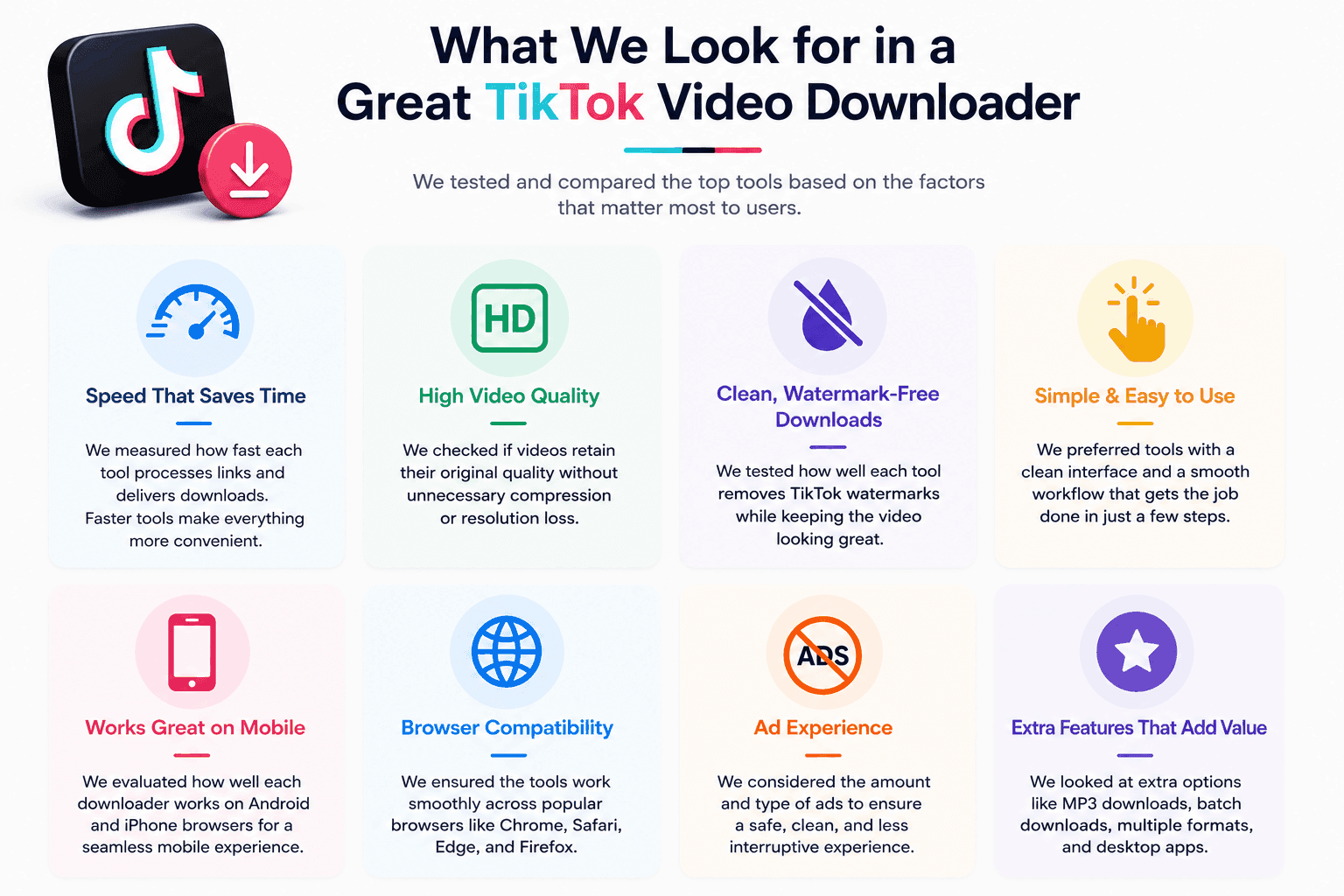
Finally, we considered beginner-friendliness. Many users simply want to copy a TikTok link, paste it into a downloader, and save the video within a few clicks. Tools that offered a simple, intuitive experience without unnecessary setup or registration received higher overall recommendations.
10 Free TikTok Downloaders to Download TikTok Videos Without Watermarks
Now that you know what to look for in a TikTok downloader, it's time to compare the best options available. We selected these tools based on their overall user experience, download quality, ease of use, device compatibility, and features.
Some of the downloaders below are completely browser-based, making them ideal for quick downloads without installing software. Others are desktop applications designed for users who need advanced features such as batch downloading or content management.
To make comparing them easier, every review follows the same format, including an overview of key features, advantages and limitations, our observations, and recommendations on who each tool is best suited for.
1. SnapTik
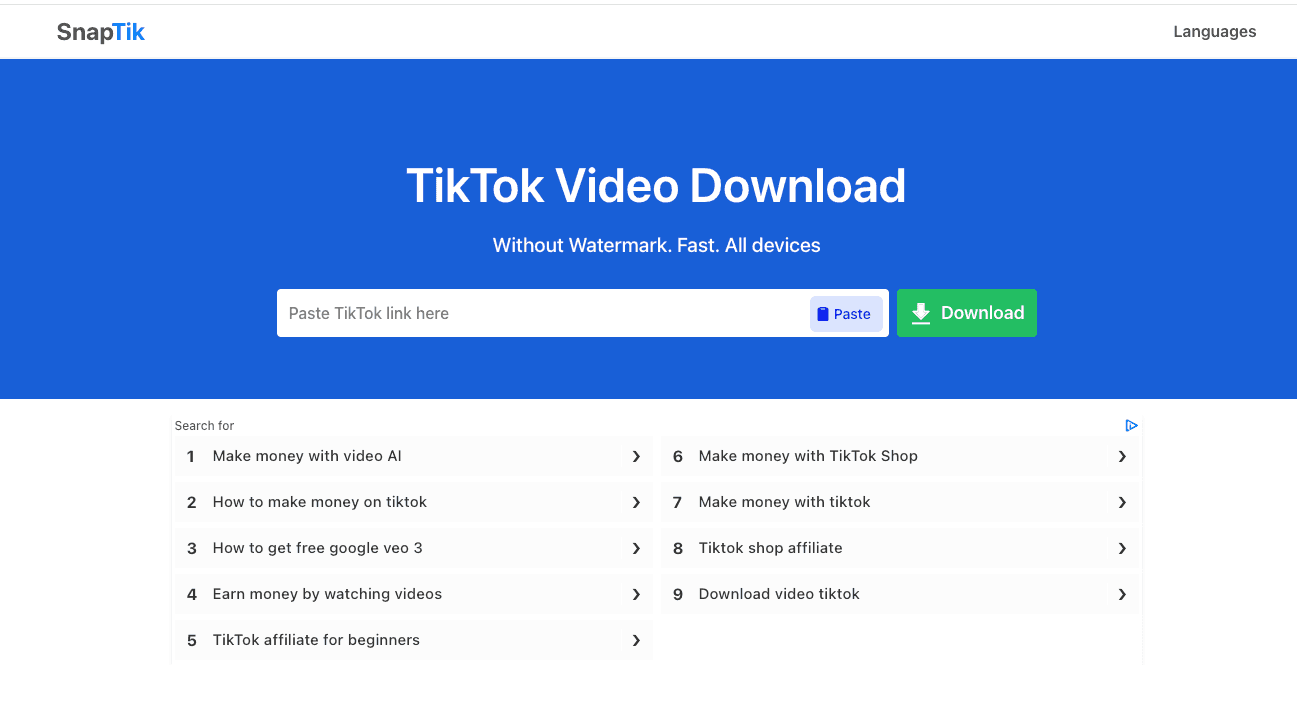
SnapTik has become one of the most recognized TikTok downloaders thanks to its fast performance and reliable watermark removal. It supports browser-based downloads and works well on both desktop and mobile devices.
One of its biggest strengths is its straightforward interface. Users only need to paste a TikTok link to start downloading, making it suitable for people who want quick results without creating an account.
Key Features of SnapTik
SnapTik focuses on fast, hassle-free TikTok downloads with the core features most users look for:
- TikTok URL Support: Paste a TikTok video link to start the download.
- Watermark-Free Downloads: Save TikTok videos without the platform's watermark.
- HD Video Quality: Download videos in high quality when available.
- Browser-Based Access: Use SnapTik directly from your web browser without installing software.
- Cross-Device Compatibility: Works on desktop, tablet, and mobile devices.
- Multi-Browser Support: Compatible with popular browsers such as Chrome, Safari, Edge, and Firefox.
- Simple User Interface: Clean, beginner-friendly design that makes downloading easy for first-time users.
Advantages and Limitations of SnapTik
SnapTik is a popular choice for downloading TikTok videos without watermarks. The table below outlines its main strengths and a few potential drawbacks to help you decide if it meets your needs.
| Pros | Cons |
|---|---|
| Fast download processing for supported TikTok links. | Advertisements may appear around the download area. |
| Easy interface that is simple for beginners to follow. | Batch downloading is not available. |
| Maintains good video quality for most downloads. | MP3 support is limited or may not always be available. |
| No account is required to download public videos. | Occasional redirects may interrupt the process. |
Who Should Use This Tool?
Great for users who frequently download TikTok videos and want reliable watermark removal.
Our Experience with SnapTik
SnapTik consistently delivered fast downloads with good-quality videos. While advertisements were noticeable, they did not interfere with the download process.
2. SSSTik
SSSTik is one of the oldest and most widely used TikTok downloaders. It supports watermark-free downloads and works smoothly on both computers and smartphones.
Because of its popularity, many users choose SSSTik for its consistency and familiar interface. It also supports audio downloads for selected videos.

Key Features of SSSTik
SSSTik offers a straightforward way to download TikTok content with features designed for speed and convenience:
- Watermark-Free Downloads: Save TikTok videos without the TikTok watermark.
- HD Video Downloads: Download videos in high-definition quality when available.
- MP3 Audio Downloads: Extract and save TikTok audio as an MP3 when supported.
- No Registration Required: Start downloading without creating an account or signing in.
- Browser-Based Access: Use SSSTik directly from your web browser without installing software.
- Cross-Device Compatibility: Works on desktop, tablet, and mobile devices.
- Fast Download Processing: Generates download links quickly for a smooth user experience.
Advantages and Limitations of SSSTik
SSSTik is a reliable browser-based TikTok downloader that offers watermark-free video downloads without requiring an account. The table below summarizes its key strengths and a few limitations to consider.
| Pros | Cons |
|---|---|
| Beginner-friendly interface with a simple download process. | Ads may appear on some pages. |
| Supports HD downloads when higher-quality files are available. | No dedicated desktop software is offered. |
| Allows MP3 downloads for supported TikTok content. | Advanced features are limited. |
| Processes most download links quickly. | Batch downloading is not available. |
Who Should Use This Tool?
Perfect for beginners who want a trusted and easy-to-use downloader.
Our Experience with SSSTik
The downloader performed consistently and handled most downloads without issues. Its familiar interface makes it easy for new users to navigate.
3. SaveTT
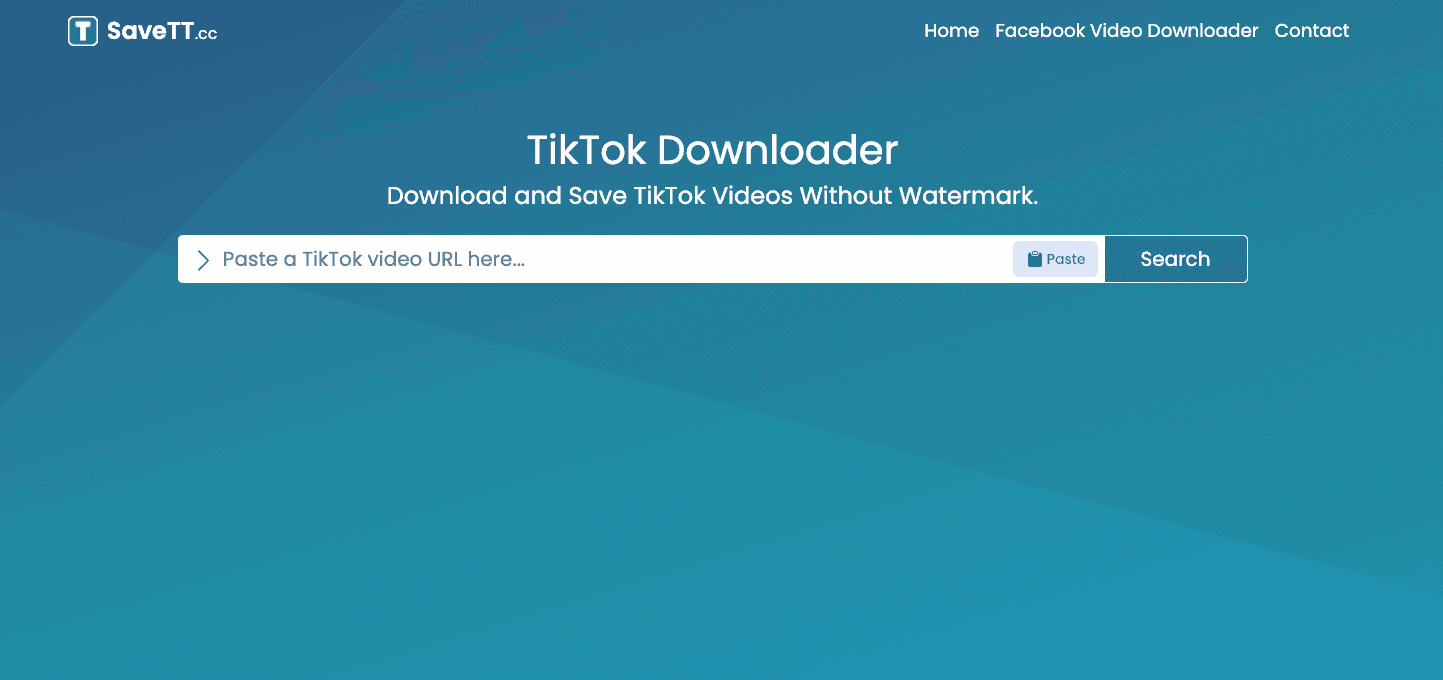
SaveTT is designed for users who want a quick way to save TikTok videos without installing any software. The tool works entirely online, allowing downloads directly from a web browser on both desktop and mobile devices.
Its clean workflow makes it suitable for casual users who only download videos occasionally. Simply copy the TikTok video link, paste it into the downloader, and choose your preferred download option.
Key Features of SaveTT
SaveTT makes it easy to download TikTok videos with a browser-based experience and a practical set of features:
- Watermark-Free Downloads: Save TikTok videos without the TikTok watermark.
- HD Video Downloads: Download videos in high-definition quality when available.
- No Registration Required: Access the downloader without creating an account.
- Browser-Based Access: Use SaveTT directly in your web browser without installing software.
- Cross-Device Compatibility: Works on desktop, tablet, and mobile devices.
- Fast Download Processing: Quickly generates downloadable video links.
- Simple User Interface: Clean and easy-to-use design suitable for both new and experienced users.
Advantages and Limitations of SaveTT
SaveTT is a simple TikTok downloader designed for users who want quick, watermark-free downloads without installing software. The table below highlights its main benefits and a few limitations to keep in mind.
| Pros | Cons |
|---|---|
| Simple interface that is easy to understand and use. | Advanced features are limited compared with desktop tools. |
| Fast download processing for supported TikTok links. | Ads may appear during the download process. |
| Works smoothly on mobile browsers and smartphones. | MP3 downloads are not supported. |
Who Should Use This Tool?
SaveTT is a good choice for occasional users who want a straightforward browser-based downloader without extra complexity.
Our Experience with SaveTT
During testing, SaveTT handled standard TikTok downloads quickly and reliably. The interface was easy to understand, although advertisements occasionally interrupted navigation.
4. TikMate
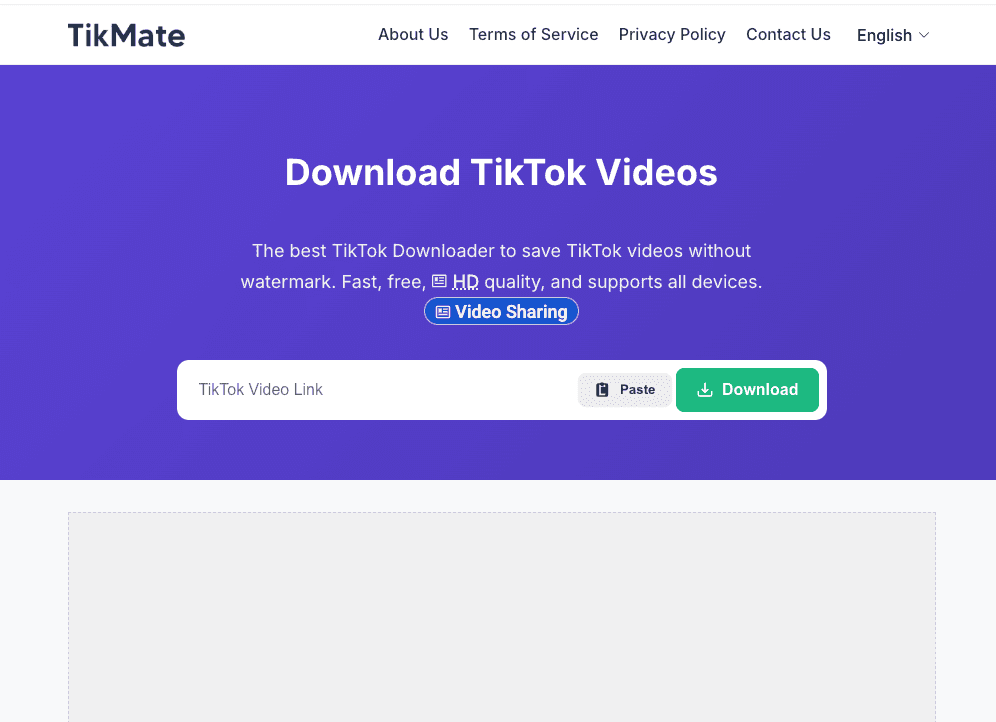
TikMate is a browser-based TikTok downloader designed for users who want a quick way to save videos without installing additional software. Its simple interface makes it easy to copy a TikTok link, paste it into the website, and download the video within a few clicks.
Because it works on most modern browsers, TikMate is a convenient option for both desktop and mobile users. It focuses on speed and ease of use rather than on offering advanced editing or management features.
Key Features of TikMate
TikMate offers a lightweight, browser-based experience for downloading TikTok videos without unnecessary steps:
- No Registration Required: Download videos without creating an account or signing in.
- Browser-Based Access: Use TikMate directly in your web browser without installing software.
- Cross-Device Compatibility: Works on desktop, tablet, and mobile devices.
- Lightweight Interface: Clean and simple design for quick, hassle-free downloads.
- Fast Download Processing: Generates download links within seconds.
- Easy to Use: Beginner-friendly workflow that requires only a few clicks.
- Watermark-Free Downloads: Supports downloading TikTok videos without watermarks when available.
Advantages and Limitations of TikMate
TikMate is a lightweight TikTok downloader that's well-suited for users who want a quick, no-sign-up experience. The table below summarizes its main advantages and a few limitations to consider.
| Pros | Cons |
|---|---|
| Easy to use with a simple copy-and-paste process. | Ads may appear during the download process. |
| Works directly in a browser without software installation. | Batch downloading is not supported. |
| No registration is required for standard downloads. | Extra features are limited compared with desktop tools. |
| Works well on mobile devices and common browsers. | Feature availability may vary by video. |
Who Should Use This Tool?
TikMate is suitable for users who want a fast, straightforward downloader with no unnecessary options.
Our Experience with TikMate
In our hands-on use, TikMate made the download process simple and quick. Its lightweight interface was easy to navigate, although occasional advertisements slightly disrupted the experience.
5. SaveTik
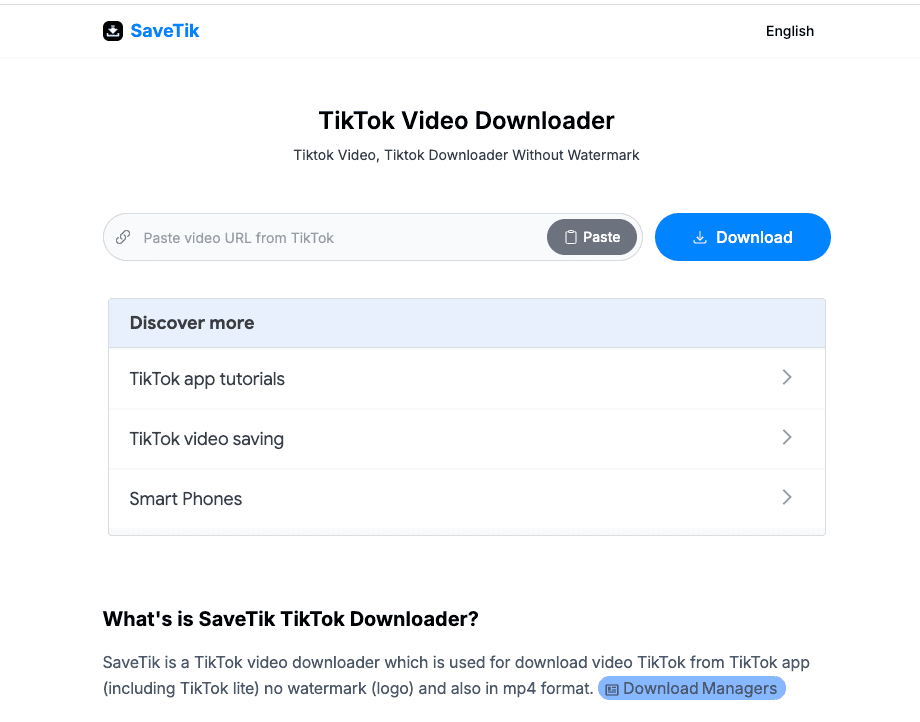
SaveTik is an online TikTok downloader that lets users save videos directly from a web browser without installing any additional software. Its lightweight interface and compatibility with both desktop and mobile browsers make it a convenient choice for everyday use.
This tool mainly focuses on providing a fast, straightforward download experience rather than offering advanced editing or content management features.
Key Features of SaveTik
SaveTik offers a simple way to download TikTok videos directly from your browser with no additional setup required:
- Watermark-Free Downloads: Save TikTok videos without the TikTok watermark when available.
- HD Video Downloads: Download videos in high-definition quality when supported.
- Browser-Based Access: Use SaveTik directly from your web browser without installing software.
- TikTok URL Support: Just paste a TikTok video URL to begin the download.
- Cross-Device Compatibility: Works on desktop, tablet, and mobile devices.
- Fast Download Processing: Quickly generates downloadable video links.
- Simple User Interface: Clean, beginner-friendly design for quick downloads.
Advantages and Limitations of SaveTik
SaveTik is a practical browser-based TikTok downloader for users who want quick, watermark-free downloads. The table below summarizes its key strengths and a few limitations to consider.
| Pros | Cons |
|---|---|
| No registration or account required. | The website may display advertisements. |
| Supports watermark-free video downloads when available. | Download quality depends on the original TikTok upload. |
| Works directly in a web browser without software installation. | Features may occasionally be affected by changes on the TikTok platform. |
| Compatible with desktop and mobile devices. | Does not include advanced features such as batch downloads or media management. |
| Simple interface with a fast download process. | Primarily designed for TikTok downloads only. |
Who Should Use This Tool?
SaveTik is a good option for users who want a fast, no-sign-up TikTok downloader for occasional use. It's best suited for people who prefer a simple browser-based tool without extra features or software installation.
Our Experience with SaveTik
Using SaveTik was straightforward, with a simple workflow that made downloading TikTok videos quick and easy. The browser-based interface was easy to navigate, although advertisements occasionally appeared while using the tool.
6. TikTokio
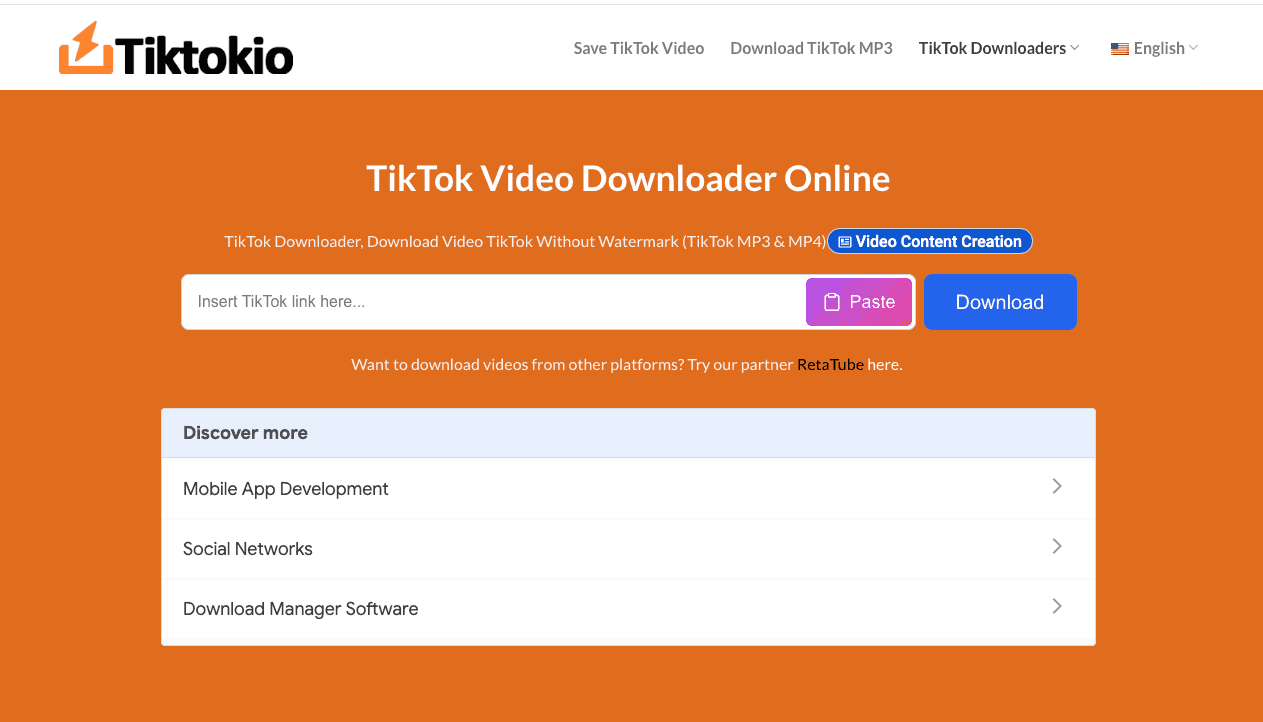
TikTokio is another well-known online downloader that lets you save TikTok videos in a web browser. It has been popular among users seeking a simple solution that works across devices. The service is designed to keep the download process short and beginner-friendly while supporting commonly used browsers.
Key Features of TikTokio
TikTokio provides a simple browser-based solution for downloading TikTok videos without unnecessary setup:
- TikTok URL Support: Paste a TikTok video URL to begin the download.
- Watermark-Free Downloads: Save TikTok videos without the TikTok watermark when available.
- Browser-Based Access: Use TikTokio directly in your web browser without installing software.
- Cross-Device Compatibility: Works on desktop, tablet, and mobile devices.
- Mobile-Friendly Experience: Optimized for downloading videos on both smartphones and computers.
- Simple User Interface: Clean, straightforward layout that's easy for first-time users to navigate.
- Fast Download Processing: Generates downloadable video links within seconds.
- No Registration Required: Download videos without creating an account or signing in.
Advantages and Limitations of TikTokio
TikTokio offers a straightforward way to download TikTok videos directly from your browser. The table below outlines its main strengths and a few limitations to help you decide whether it's the right tool for your needs.
| Pros | Cons |
|---|---|
| Easy workflow that requires only a few simple steps. | Advertisements may interrupt the browsing experience. |
| Supports HD downloads when higher-quality files are available. | No dedicated desktop application is offered. |
| Works well on mobile browsers and smartphones. | Batch downloading is not available. |
| Free to use for standard TikTok video downloads. | Some features may vary depending on the video or platform updates. |
Who Should Use This Tool?
Ideal for users who prioritize video quality while keeping the download process simple.
Our Experience with TikTokio
TikTokio was easy to use for occasional TikTok downloads. We were able to generate download links without creating an account, and the browser-based workflow felt straightforward. Like many free downloaders, however, advertisements were present and could occasionally interrupt navigation.
7. TTDownloader
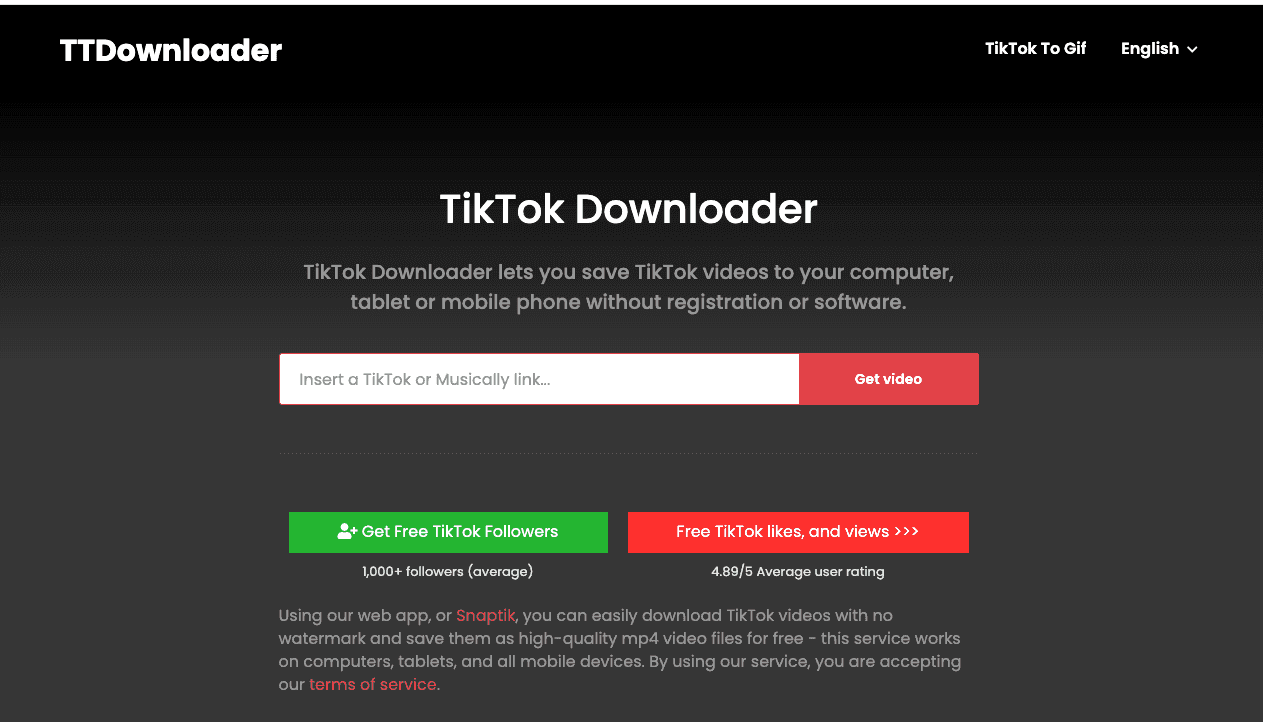
TTDownloader offers multiple download options for TikTok videos and has been available for several years. It supports downloading through a browser without requiring users to install software.
One feature many users appreciate is the availability of multiple download formats, though supported options may vary by content.
Key Features of TTDownloader
TTDownloader offers a browser-based solution for downloading TikTok videos and audio with multiple download options:
- Watermark-Free Downloads: Save TikTok videos without the TikTok watermark.
- HD Video Downloads: Download videos in high-definition quality when available.
- MP3 Audio Downloads: Extract and save TikTok audio as an MP3.
- Browser-Based Access: Use TTDownloader directly in your web browser without installing software.
- No Registration Required: Download videos without creating an account or signing in.
- Cross-Device Compatibility: Works on desktop, tablet, and mobile devices.
- Multiple Download Formats: Choose between MP4 video, MP3 audio, or a watermarked version when available.
Advantages and Limitations of TTDownloader
TTDownloader provides multiple download options for TikTok videos and audio without requiring software installation. The table below highlights its strengths and a few limitations based on its current feature set.
| Pros | Cons |
|---|---|
| Download TikTok videos with or without a watermark. | The website may display advertisements. |
| Supports both MP4 video and MP3 audio downloads. | Download quality depends on the original TikTok upload. |
| No registration or account required. | Features may occasionally be affected by changes on the TikTok platform. |
| Works directly in a web browser on desktop and mobile devices. | Primarily designed for TikTok downloads rather than multiple platforms. |
| Offers multiple download options to suit different needs. | Download speed can vary depending on server load and internet connection. |
Who Should Use This Tool?
TTDownloader is a good choice for users who want flexible download options. It's especially suitable for people who need both MP4 video and MP3 audio downloads without having to create an account or install additional software.
Our Experience with TTDownloader
In our experience, TTDownloader provided a straightforward way to download TikTok videos and audio. Having multiple download options, including MP4 and MP3, was useful, and the browser-based workflow required very little effort. As with many free downloaders, advertisements were present but didn't prevent us from completing downloads successfully.
8. MusicallyDown
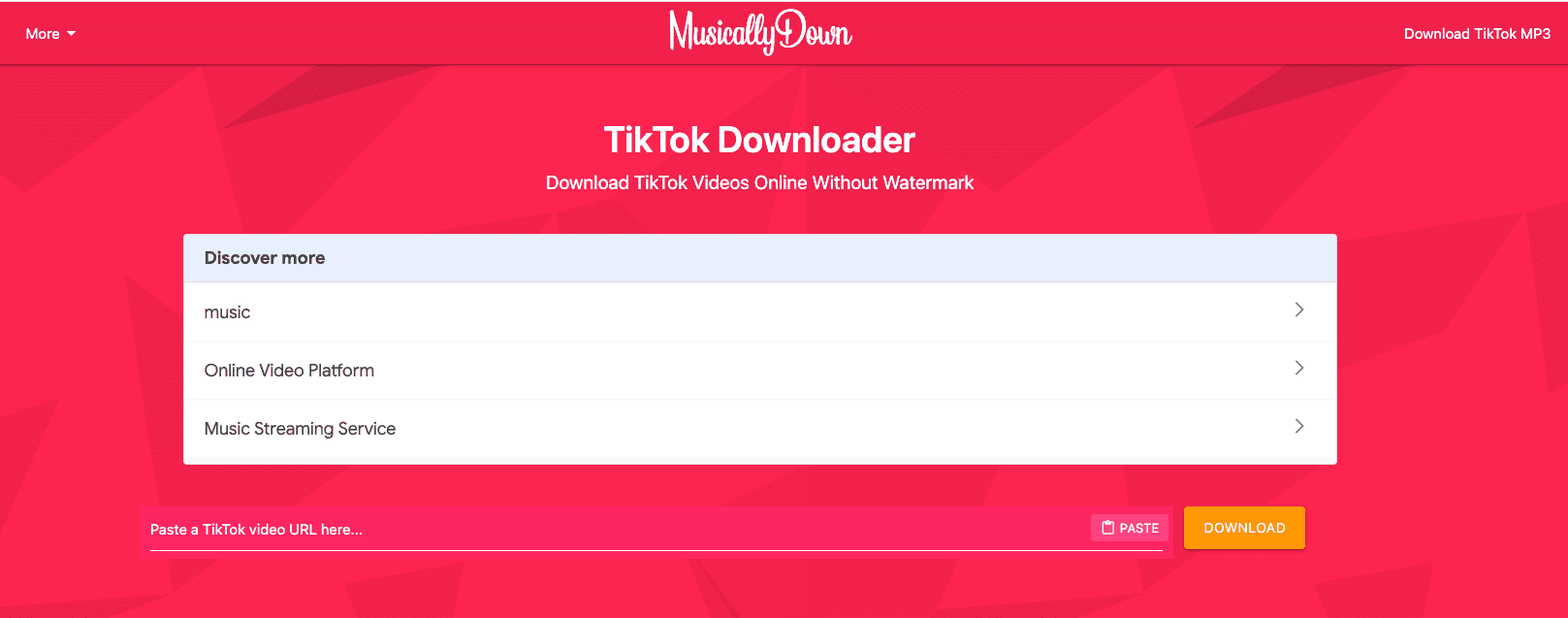
MusicallyDown is one of the longest-running TikTok downloaders and remains a familiar option for many users. In addition to downloading videos, it offers audio downloads for selected TikTok posts. The website has a simple layout, making it easy for first-time visitors to understand how the tool works.
Key Features of MusicallyDown
MusicallyDown offers multiple download options for users who want to save TikTok videos and audio without installing software:
- TikTok & Douyin URL Support: Paste a public TikTok or Douyin video URL to begin the download.
- Watermark-Free Downloads: Save videos without the TikTok watermark.
- HD Video Downloads: Download videos in high-definition quality when available.
- MP3 Audio Downloads: Extract and save TikTok audio as an MP3.
- Browser-Based Access: Use the tool directly in your web browser without installing software.
- No Registration Required: Download videos without creating an account or signing in.
- Cross-Device Compatibility: Works on desktop, tablet, and mobile devices across major browsers.
- Privacy-Focused Processing: Processes download requests without requiring personal information or storing user videos.
Advantages and Limitations of MusicallyDown
MusicallyDown is a solid option for users who want to download TikTok videos and MP3s without installing software. The table below summarizes its key strengths and a few limitations to consider.
| Pros | Cons |
|---|---|
| Downloads TikTok videos without watermarks. | The website may display advertisements. |
| Supports both HD video and MP3 audio downloads. | Download quality depends on the original TikTok upload. |
| No registration or account required. | Some download features may occasionally be affected by updates to the TikTok platform. |
| Works directly in a web browser across desktop and mobile devices. | Batch downloads and advanced options are not consistently available across all versions. |
| Also supports public Douyin video downloads. | Primarily designed for TikTok and Douyin content only. |
Who Should Use This Tool?
MusicallyDown is a good choice for users who want the flexibility to download both TikTok videos and MP3 audio. It's especially suitable for people who prefer a browser-based tool that also supports public Douyin videos without requiring an account or software installation.
Our Experience with MusicallyDown
We found MusicallyDown easy to use for both video and audio downloads. The download process was straightforward, and having the option to save videos without a watermark or extract MP3 audio made it more versatile than some basic TikTok downloaders. As with many free tools, ads were noticeable but didn't prevent successful downloads.
9. Downloaderi
Downloaderi is a browser-based TikTok downloader that provides a straightforward workflow: copy a TikTok video link, paste it on the website, and download the content in just a few steps.
Its simple interface and cross-device compatibility make it a practical choice for users who want a quick, hassle-free way to download TikTok videos. Rather than offering advanced editing features, Downloaderi focuses on providing an easy, accessible download experience.

Key Features of Downloaderi
Downloaderi provides a simple browser-based experience for downloading TikTok videos without unnecessary setup:
- TikTok URL Support: Paste a TikTok video URL to start the download.
- Watermark-Free Downloads: Save TikTok videos without the TikTok watermark when available.
- HD Video Downloads: Download videos in high-definition quality when supported.
- No Registration Required: Download videos without creating an account or signing in.
- Browser-Based Access: Use Downloaderi directly from your web browser without installing software.
- Cross-Device Compatibility: Works on desktop, tablet, and mobile devices.
- Fast Download Processing: Generates download links quickly for a smooth experience.
- Simple User Interface: Clean, beginner-friendly design that makes downloading easy.
Advantages and Limitations of Downloaderi
Downloaderi is a straightforward TikTok downloader that lets users save videos without installing software. The table below highlights its main strengths and a few limitations to consider before using the tool.
| Pros | Cons |
|---|---|
| No registration or account required. | The website may display advertisements. |
| Supports watermark-free video downloads when available. | Download quality depends on the original TikTok upload. |
| Works directly in a web browser on desktop and mobile devices. | Features may occasionally be affected by changes on the TikTok platform. |
| Simple, beginner-friendly interface with a quick workflow. | Does not include advanced features such as batch downloads or media management. |
| No software installation required. | Primarily designed for TikTok downloads only. |
Who Should Use This Tool?
Downloaderi is a good choice for users who want a simple, browser-based TikTok downloader that doesn't require an account or software installation. It's best suited for occasional users who value speed and ease of use over advanced downloading features.
Our Experience with Downloaderi
We found Downloaderi easy to use for quick TikTok downloads. The browser-based workflow was straightforward, requiring only a video link to generate a download. Although advertisements were present, they didn't prevent us from successfully downloading videos.
10. CopyChecker TikTok Downloader
If you're looking for a simple, reliable TikTok downloader, CopyChecker TikTok Downloader makes downloading videos quick and hassle-free.
Although it's a newer tool, its clean interface and focus on user experience make it a promising choice for both beginners and experienced users.
Instead of overwhelming users with unnecessary options, the tool focuses on delivering fast downloads, HD quality, and watermark-free videos. Since it runs directly in your browser, you don't need to install software or create an account to download.
Key Features of CopyChecker TikTok Downloader
CopyChecker combines a simple downloading process with practical features for saving TikTok content:
- TikTok URL Support: Paste a TikTok video URL to begin the download.
- HD Video Downloads: Save TikTok videos in high-definition quality when available.
- Watermark Removal: Download cleaner videos without the TikTok watermark.
- MP3 Audio Download: Extract and save the audio as an MP3 when supported.
- Browser-Based Access: Use the tool without downloading or installing software.
- Cross-Device Compatibility: Access it on desktop, tablet, and mobile devices.
Advantages and Limitations of CopyChecker TikTok Downloader
The table below highlights the main benefits of using CopyChecker TikTok Downloader, along with a few limitations to consider before choosing it.
| Pros | Cons |
|---|---|
| Clean interface that is easy to understand and use. | Newer tool with a limited track record. |
| No registration is needed to start downloading. | Public user feedback is still limited. |
| Supports high-quality video downloads. | Batch downloading is not available. |
| Removes watermarks from supported TikTok videos. | No dedicated desktop application is available. |
| Facebook video download also available. |
Who Should Use This Tool?
This downloader is ideal for students, creators, marketers, and anyone who wants a simple, browser-based TikTok downloader without unnecessary distractions.
Our Experience with CopyChecker TikTok Downloader
During testing, the downloader was quick and easy to use. The interface remained uncluttered, downloads completed smoothly, and the video quality stayed close to the original upload. The browser-based workflow also made it convenient on both desktop and mobile.
FAQs about Best TikTok Downloader
This section covers the most common concerns about choosing and using a TikTok downloader. They explain features, safety, device support, video quality, and other details users often want to know before downloading.
Which TikTok downloader is the best overall?
For most users, a browser-based downloader that combines ease of use, reliable downloads, and good video quality is the best choice. Based on our evaluation, CopyChecker TikTok Downloader is our recommended option once it becomes publicly available, while SnapTik and SSSTik remain strong alternatives.
Can I download TikTok videos without a watermark?
Yes. Many third-party downloaders provide watermark-free download options. However, availability may vary depending on changes to TikTok's platform or the downloader's functionality.
Are TikTok downloaders free?
Many popular TikTok downloaders offer free access for basic downloads. Some desktop applications also provide premium versions with additional features such as batch downloads or advanced management tools.
Is it safe to use a TikTok downloader?
Most reputable TikTok downloaders are safe when accessed through their official websites. To reduce security risks, avoid downloading unknown software, clicking misleading advertisements, or entering personal account information unless it's absolutely necessary.
Will the downloaded video keep its original quality?
Most downloaders try to preserve the original quality of the content uploaded to TikTok. However, the final quality depends on the source video and the downloader you're using. Not every tool supports the highest available resolution.
Can I download TikTok videos as MP3 files?
Some TikTok downloaders offer an option to extract audio and save it as an MP3 file. If audio downloads are important to you, check whether the downloader explicitly supports MP3 before using it.
Do I need a TikTok account to download videos?
In most cases, no. You only need the public URL of the TikTok video. Most online downloaders do not require you to sign in to your TikTok account.
Can I download private TikTok videos?
Generally, no. Most TikTok downloaders only support publicly accessible videos. Private content is protected by TikTok's privacy settings and cannot usually be downloaded through third-party tools.
Which TikTok downloader is best for mobile users?
If you mainly download videos on a smartphone, browser-based tools such as CopyChecker TikTok Downloader, SnapTik, SSSTik, and SaveTT are convenient choices because they work without requiring software installation.
Which TikTok downloader is best for creators?
Content creators who regularly save or organize TikTok videos may prefer desktop applications like 4K Tokkit or By Click Downloader, as they offer more advanced download management features than most browser-based tools.
Is downloading TikTok videos legal?
Downloading TikTok videos for personal use is generally different from redistributing or using someone else's content commercially. Always respect copyright laws, the creator's rights, and TikTok's Terms of Service before reusing downloaded videos.
It’s a Wrap for Best TikTok Downloader!
The best TikTok downloader ultimately depends on how you plan to use it. If you occasionally save videos, a simple browser-based tool may be all you need.
If you're a creator or frequently download content, you may benefit from a video downloader that offers higher-quality downloads or additional features such as MP3 support and batch downloading.
No matter which tool you choose, always prioritize a secure, easy-to-use downloader that preserves video quality and respects creators' rights. Comparing features like watermark removal, device compatibility, and download speed will help you find the option that best fits your needs.
If you're looking for a clean, user-friendly experience, keep an eye out for the CopyChecker TikTok Downloader. It's being built to make downloading TikTok videos quick and straightforward without unnecessary complexity.
While you're there, you can also explore CopyChecker's growing collection of online tools, including solutions for plagiarism checking, AI detection, grammar checking, paraphrasing sentences, PDF editing, reverse image search, and other everyday productivity tasks—all designed to help you work smarter from one place.