Plagiarism Checker
 Paraphrasing Tool
 Grammar Checker
 Essay Title Generator
 AI Detector
 AI Humanizer
 AI Citation Generator
 Text Summarizer
 AI Sentence Rewriter
 Essay Checker
 Online Proofreader
 Comma Splice Checker
 Passive Voice Checker
 Sentence Fragment Checker
 Run-on Sentence Checker
 Readability Checker
 Tone Checker


- Plagiarism Checker
- Paraphrasing Tool
- Grammar Checker
- Essay Title Generator
- AI Detector
- AI Humanizer
- AI Citation Generator
- Text Summarizer
- AI Sentence Rewriter
- Essay Checker
- Online Proofreader
- Comma Splice Checker
- Passive Voice Checker
- Sentence Fragment Checker
- Run-on Sentence Checker
- Readability Checker
- Tone Checker

Proofreader
Proofread every type of writing with an AI proofreader built to catch errors instantly, so your content stays clean and polished
Featured In










What does a Proofreader Do?
A proofreader helps you catch any mistakes that slip past you after writing. Our proofreading tool highlights typos, grammar and tone mistakes in your text. So, you can fix them all instantly with one click and ensure there are no errors left before your work goes out into the world.
Proofreading comes after you've already shaped your ideas and organized your points. Doing it manually can take time and subtle errors can fall through the cracks. So, a proofreading tool like this makes sure your content is error free - everytime.
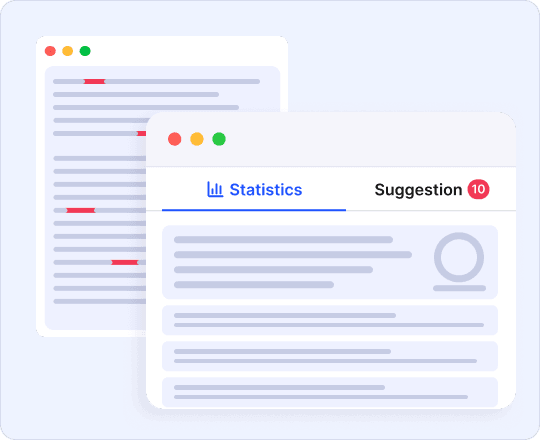
How to Use an Online Proofreader Tool
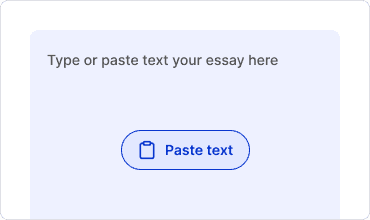
Paste Your Text
Paste your content or write directly into our online proofreader. Or you can also upload a document to start.
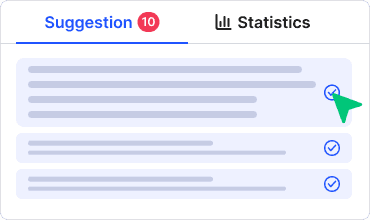
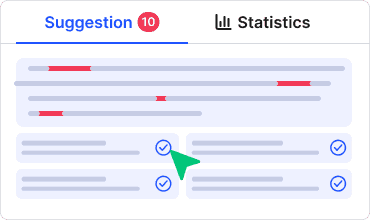
Review & Accept Suggestions
This AI proofreader will highlight errors in your writing. Go through each suggestion, or click “Fix All Errors” to accept all suggestions at once.
Get Perfect Writing
Copy your corrected text or download it as DOCX, TXT, or PDF and use it right where you need it.
Features Of Our AI Proofreader
Free online proofreader to help keep your writing error-free and consistent

Get Error Free Writing
Get proofreading feedback in seconds. Our proofreader highlights all errors like grammar, spelling, punctuation, and more in your text. So, you can write the perfect piece with ease.

Keep Consistent Tones
Check whether your content follows a specific tone consistently. This AI proofreader ensures your writing is consistent throughout without having to hire professional proofreaders.

Check Writing Modes
Select what you're writing to get tailored suggestions. Mode selection matches suggestions to context, so your writing is purposeful.

One-Click Error Fixes
Save time by fixing all writing issues flagged by proofreading online with this free tool! Accept all fixes at once by simply clicking “Fix All Errors”.

Full-Featured Editor
Take your writing from an initial draft to final with this proofreader and editor. Write, edit and fix errors all from one tool - completely online.

Readability Scores
See how your piece reads with readability score breakdowns from easy to difficult and estimated reading times. It’s the perfect tool to help with college essays, university and post-graduate essays.
Why Use an Online Proofreader

No Cost
Check your writing without paying for software or professional proofreaders. You can do all your proofreading online with our tool to save time and money, and still get professional results.

Instant Results
Paste your text and get suggestions in seconds. No waiting, no delays, just fast fixes for your writing. You don’t need to wait on others when using our proofreader to fix your writing.

Catches What You Miss
It’s easy to miss typos and subtle errors when proofreading manually. A free proofreading tool like this analyzes your writing line-by-line and highlights all errors - no matter how small.

Works on Any Device
Online proofreaders work anywhere, and on any device. Whether you’re working on a laptop, tablet, or phone, check your writing anytime and wherever you are.

Easy to Use
Paste your text, review suggestions, and you're done. No learning curve, no complicated steps.

Improve Writing
Seeing your mistakes helps you avoid repeating them. Regular use builds sharper writing habits over time.
Who uses Free Proofreader
This essay proofreader catches typos and grammar slips that cost grades, giving students a quick way to check work before turning it in. Proofreading assignments has never been easier.

Students
This essay proofreader catches typos and grammar slips that cost grades, giving students a quick way to check work before turning it in. Proofreading assignments has never been easier.
Academics
Proofread research papers, theses, and journal submissions to find and fix every single error can distract from strong work or slow down peer review with our paper proofreader.

Professionals
Draft error-free and proofread emails, reports, and presentations to add credibility to anything you submit in your workplace with CopyChecker’s proofreader.

Writers
Use this text proofreader to check all sorts of writing whether it’s a large novel, ad copy, or a blog post.
Job Seekers
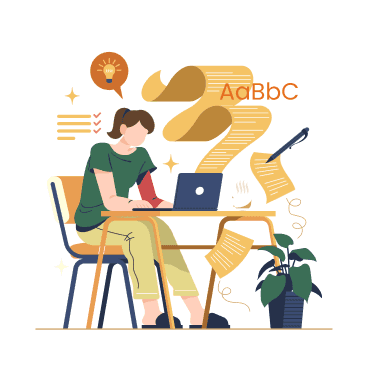
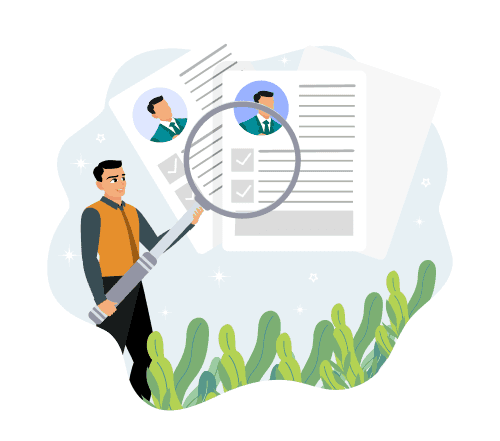
CV proofreading becomes a breeze with this AI proofreader. Craft perfect resumes and cover letters to make a strong first impression with your potential employer.
Non-native Speakers
Writing in a second language comes with extra challenges. Use our free proofreader to make your writing sound natural and polished.
Additional CopyChecker Tools


Frequently Asked Questions
Proofreading is the final check for writing errors. It also includes how your content reads and feels - is the tone consistent, how are the sentences phrased. It happens after editing, when the content is set and only small fixes remain.
Paste your text into the tool, review the suggestions, and accept the fixes that apply. The free proofreading tool checks your writing in seconds.
Yes. Every feature is free to use, with no sign up or payment required.
The best AI proofreader catches errors accurately, works fast, and adapts to different types of writing. This tool checks grammar, spelling, and punctuation while adjusting suggestions to your selected writing mode.
Yes. Paste your paper into the tool to check my paper for grammar, spelling, and punctuation errors before you submit or publish.
Yes. Use it to edit essays for grammar and structure issues, so your writing reads clean before submission.
Yes. Editing focuses on structure, clarity, and flow. Proofreading is the final pass, catching small errors like typos and punctuation after editing is done.
AI proofreading catches most common errors and works well as a final check, though a human read-through still helps for tone and context.
Yes. Use it to proofread landing pages, ad copy, product descriptions, and client emails to build trust and keep your business communication professional.
Proofreader Also Available In
 English - Proofreader
 Español - Corrector de Textos
 Indonesian - Korektor teks
 Deutsch - Korrekturleser
 Português - Revisor de Texto
 日本語 - 校正ツール
 Melayu - Penyemak Pruf Dalam Talian
 Türkçe - Metin Düzeltici
 Italiano - Correttore di Bozze
 Français - Correcteur d'Orthographe
 中文 - 在线文本校对工具
 Русский - Корректор текстов