Plagiarism Checker
 Paraphrasing Tool
 Grammar Checker
 Essay Title Generator
 AI Detector
 AI Humanizer
 AI Citation Generator
 Text Summarizer
 AI Sentence Rewriter
 Essay Checker
 Online Proofreader
 Comma Splice Checker
 Passive Voice Checker
 Sentence Fragment Checker
 Run-on Sentence Checker
 Readability Checker
 Tone Checker


- Plagiarism Checker
- Paraphrasing Tool
- Grammar Checker
- Essay Title Generator
- AI Detector
- AI Humanizer
- AI Citation Generator
- Text Summarizer
- AI Sentence Rewriter
- Essay Checker
- Online Proofreader
- Comma Splice Checker
- Passive Voice Checker
- Sentence Fragment Checker
- Run-on Sentence Checker
- Readability Checker
- Tone Checker

Paragraph Counter
Count paragraphs in your content instantly for free. Paste content to into our online paragraph counter to get started without logging in

0
Paragraphs

0
Words

0
Characters

0
Sentences


Continue with your current text
No need to paste it again.


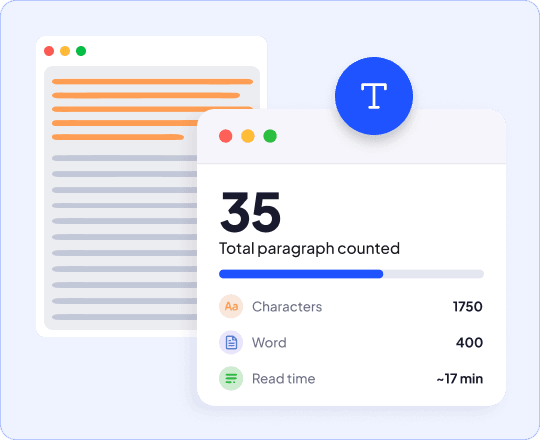
What is a Paragraph Counter
Our paragraph counter tool counts the number of paragraphs in your text instantly. Paste your content and get an exact count, useful for writing that follows a paragraph limit or structure guideline.
It takes away the hassle of manually counting paragraphs. You can rest assured that the number of paragraphs we show is always accurate.
How to Count Paragraphs
Paste Text
Paste your content into the box. Or type it directly into the input field of our paragraph count checker.
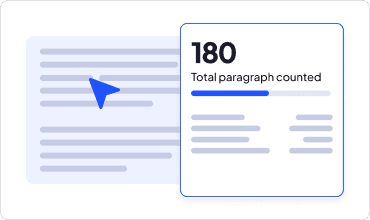
View Paragraph Count Drag
Watch your paragraph count update instantly as you type or edit.
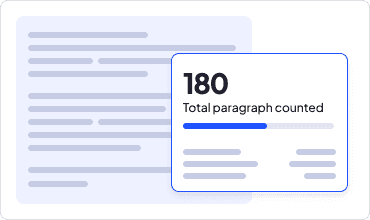
Edit & Recheck
Check word count, character count, and reading time alongside it.
Most Versatile Paragraph Counter Online
This isn’t just a simple counter paragraph tool. Get detailed text statistics, accurate paragraph counts and more

Realtime Results
Count paragraphs instantly with our real-time paragraph counter generator. See the results update immediately as you type or edit.

Accurate Paragraph Counts
Be confident that your paragraph count is accurate every time you paste text into our online paragraph counter.

100% Free
Check paragraph counts without payment or an account. Paste your content and you're good to go.

See Total Reading Time
Find out how long your content takes to read, estimated based on the average reading time of 200 to 240 words per minute.

Additional Text Statistics
View detailed text statistics like sentence count along with number of paragraphs in any content without switching tools.

Count Paragraphs Online
No downloads, or installation needed. Our paragraph counter works right in your browser, on any device with an internet connection.
Why Use This Free Paragraph Counter
Paragraph count affects how your writing reads, ranks, and performs. Here's what tracking it actually does for you

Save Time
This paragraph calculator counts instantly without waiting or reloading the page.

Improve Formatting
Keep readers engaged with clear, bite-sized paragraphs that are easy to read and scan.

Hit Structure Limits
Stay within a set paragraph limit while you write, instead of restructuring after you're done.

Estimate Reading Time
See how long your content takes to read for any content, and optimize long and tedious texts with lots of paragraphs.
Who is This Paragraph Counter For
Stay within paragraph limits for ad copy and email campaigns. Check how long or short competitor content runs before you write your own.

Marketers
Stay within paragraph limits for ad copy and email campaigns. Check how long or short competitor content runs before you write your own.
Authors
Track paragraph count while writing a chapter or full manuscript. Set daily goals and see how close you are with every draft.

Journalists
Meet your editor's paragraph limit without the guesswork, for every story you file.

Professionals
Track paragraph count for reports and emails, and keep your writing concise enough to make your point clearly.

Students
Stay within paragraph limits for essays and academic assignments.

Researchers
Keep abstracts and research papers within their required paragraph limit, and trim or expand before submission with confidence.

Write Confidently With CopyChecker


Frequently Asked Questions
Our online paragraph counter is a free tool that counts the number of paragraphs in your text instantly. Paste your content and get an exact count in seconds.
Yes. It detects each paragraph break in your text and gives you a precise count every time, whether you're checking short or long texts.
It’s absolutely free. No sign up, no payment, and no limit on how much you can use it.
Yes. Paste your content and your paragraph count appears instantly, no waiting and no manual counting.
No. This paragraph counter works right in your browser, so there's nothing to download or install.
Yes, this paragraph counter website works for any content you're writing for your website. You can also paste content from other websites too.
There's no fixed rule. Most paragraphs run three to five sentences, though it depends on the type of content and how much detail each idea needs.
It depends on paragraph length and how much text each idea needs. It’s recommended to keep paragraphs between 3 to 5 sentences.