You finally submit the essay.
For the past few days, it has basically taken over your life.
You started with a rough outline, changed your argument halfway through, replaced sources, rewrote the introduction more times than you want to admit, and somehow ended up proofreading citations at an hour when reasonable people are asleep.
Then, later, someone asks:
“Can you show how you wrote this?”
And suddenly, the final PDF in your submission folder doesn't feel like much evidence at all.
Where is the first draft? The outline?
The research notes?
The version history?
What did the paper look like before the final edits?
If you used an AI tool for something your course allowed, can you show exactly how you used it?
That is where knowing how to document your writing process becomes useful.
It does not mean saving every tiny edit or turning each assignment into an investigation file.
A few simple habits, like keeping meaningful drafts, preserving version history, saving research notes and feedback, documenting permitted AI use, and keeping pre-submission scan reports, can create a much clearer record of how your work developed.
And that distinction matters because no single AI score, screenshot, or document version can prove authorship by itself.
What becomes useful is the story those pieces tell together.
This guide walks you through exactly what to save, which tools can record your writing history, how to document AI use, what evidence actually helps, and what to keep before you submit, so you are not trying to reconstruct the entire process after the fact.
So, let’s start with -
What It Means to Document Your Writing Process?
To document your writing process means keeping a record of how your work develops from the first idea to the final submission.
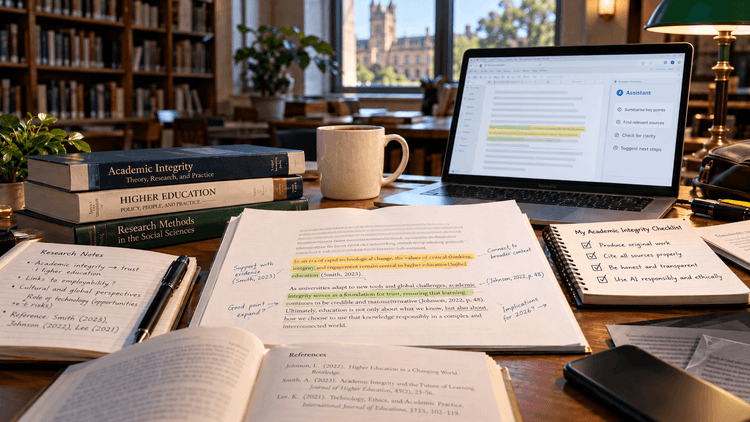
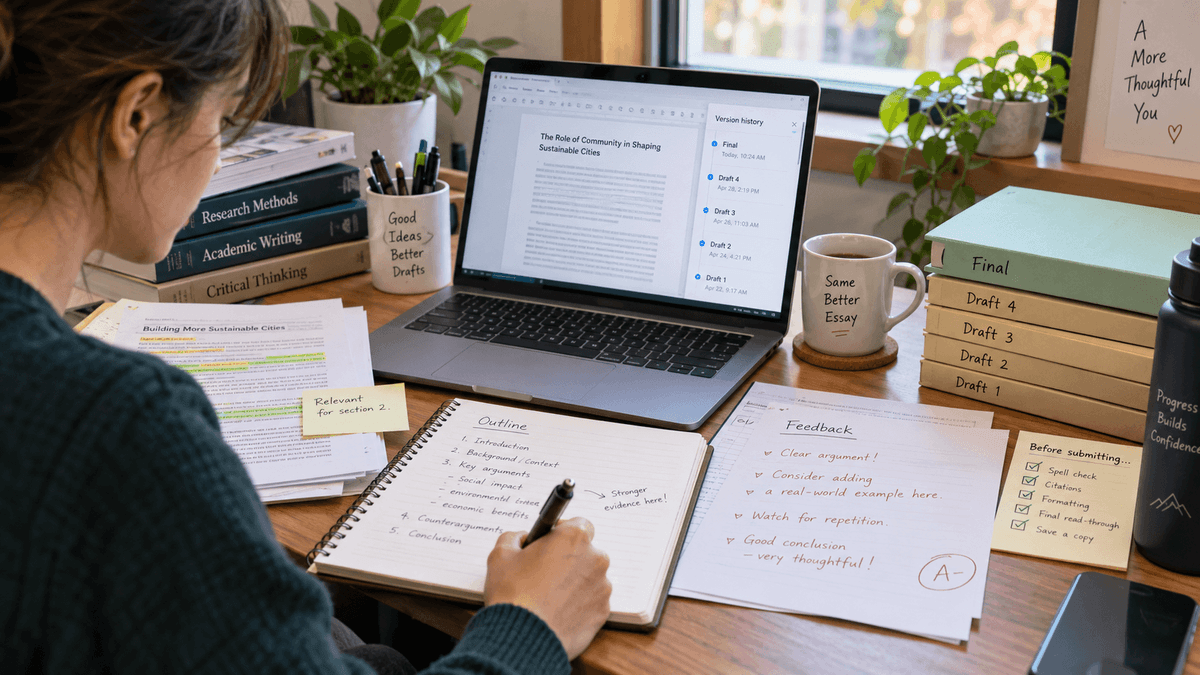
That record might include your outline, early drafts, research notes, document version history, instructor or peer feedback, permitted AI-use records, and the final version you submit.
The goal is not to save every tiny edit. It is to preserve enough of the process to show how your ideas were researched, written, revised, and completed over time.
Think of it as leaving a trail behind your finished paper. Instead of having only the final essay, you also have the steps that explain how you got there.
But not every saved file or screenshot carries the same weight.
Some pieces give a much clearer picture of your writing process than others, so it helps to know -
What Counts as Evidence of Your Writing Process?
Good proof of a writing process shows progression.
A finished essay tells someone what you submitted. It says almost nothing about how you got there.
An outline followed by a rough draft, research notes, several document revisions, tutor feedback, and a final version tell a different story.
They show ideas being developed, questioned, reorganized, and refined.
Here is what different types of evidence can actually contribute:
| Evidence | What It Can Show | What It Cannot Prove Alone |
|---|---|---|
| Version history | How your document changed over time | That every idea or sentence came only from you |
| Dated outlines and drafts | Progress from planning to finished work | Who physically created every part |
| Research notes | Where your ideas and evidence came from | Authorship of the final paper |
| Instructor, tutor, or peer feedback | That earlier versions of the work existed | Everything that happened between drafts |
| AI-use records | How permitted AI tools were used | That no other AI use occurred |
| AI/plagiarism scan report | What a tool reported before submission | Authorship or academic integrity by itself |
| Final submitted paper | What you handed in | How you produced it |
This is why an evidence bundle is far more useful than searching for one magic piece of proof.
University guidance reflects the same idea.
The University of Manitoba, for example, recommends retaining research notes, outlines, dated drafts, editing histories, and feedback as documentation of the writing process.
Of course, keeping all of this may sound unnecessary when nothing has gone wrong.
But that is exactly when documenting your work is easiest, because the evidence is created naturally as you write rather than reconstructed later.
So let’s see -
Why Documentation Matters Even If You Never Get Flagged
Most students will hopefully never have to defend an essay against a false AI accusation.
But that does not make documenting your work unnecessary.
In fact, the easiest time to preserve your writing process is before you ever need to explain it.
Trying to reconstruct everything weeks after submission is much harder.
Which article gave you that statistic? Where is the first version of your thesis?
Did you rewrite that paragraph before or after your tutor commented on it?
Human memory is strangely good at preserving an embarrassing conversation from six years ago while forgetting the details you actually need.
Keeping drafts, notes, feedback, and revision history as you work solves that problem.
It also matters because an AI detector's work process can only analyze the text placed in front of it.
It cannot see the hours you spent researching, outlining, changing your argument, replacing a source, or rewriting a paragraph until it finally worked.
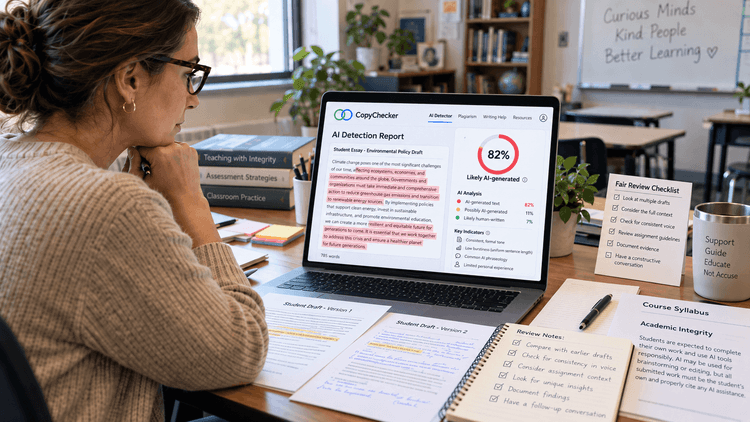
Even Turnitin warns that its AI-writing result should not be used as the sole basis for adverse action against a student, and lower-range results are treated cautiously because false positives can occur.
So if an AI result ever raises a question, the most useful question is not simply:
“What percentage did the detector give?”
It is:
“What evidence shows how this paper was actually created?”
That evidence can help even when nothing goes wrong.
A clear writing history lets you recover an idea you deleted too soon, compare early and final drafts, trace an old citation, review changes made after feedback, or explain your research decisions to an instructor.
So documenting your writing process is not only about protecting yourself from a false AI accusation.
It gives you a clearer record of how your work developed and makes it much easier to show that process if anyone ever asks.
The good part is that building this record does not require much extra work.
Most of the evidence already comes from things you naturally create while researching and writing.
You simply need to know -
How to Document Your Writing Process as A Student in 2026
Documenting your writing process does not mean recording every sentence you type.
The goal is much simpler: keep enough evidence to show how your assignment moved from an idea to a finished paper.
A useful writing trail usually includes your assignment instructions, outline, drafts, research notes, revision history, feedback, any permitted AI-use records, and the final version you submitted.
Here is a simple way to build that record without adding much extra work.
Step 1: Save the Assignment Instructions and AI Policy
Start before you write anything.
Keep a copy of the assignment brief, rubric, syllabus instructions, and any rules about AI use.
If your instructor later clarifies the policy by email or through your learning platform, save that too.
This matters because AI policies can differ between courses and even between assignments in the same class.
If brainstorming with AI was permitted but AI-generated paragraphs were not, having the original instructions gives important context to anything you disclose later.
A simple folder called Assignment Instructions is enough.
Step 2: Create an Outline Before Drafting
Keep your initial outline instead of deleting it once the paper starts taking shape. It might contain:
- your research question;
- tentative thesis;
- section ideas;
- sources you plan to use;
- arguments you later abandon;
- questions you still need to answer.
An outline is useful proof of the writing process because it shows what you were planning before the polished paper existed.
It does not need to look impressive. In fact, a messy outline that gradually turns into a coherent essay is perfectly normal.
Step 3: Write in a Tool That Preserves Version History
Whenever possible, use a writing platform that records how your document changes.
Google Docs automatically maintains version history, while Microsoft Word can provide version history when files are stored through services such as OneDrive or SharePoint.
Instead of leaving every revision anonymous, mark important stages such as:
- Outline
- First Draft
- After Research
- After Tutor Feedback
- Final Draft
This creates an easy-to-follow timeline of your writing.
Just remember that version history is supporting evidence, not automatic proof of authorship.
It becomes much more meaningful when it matches your drafts, notes, research, and feedback.
Step 4: Keep Important Drafts Instead of Replacing Them
Do not let the final submission become the only copy of your assignment that survives.
Save a few meaningful stages separately.
For example:
Psychology-Essay-01-Outline
Psychology-Essay-02-Rough-Draft
Psychology-Essay-03-After-Feedback
Psychology-Essay-04-Final
You do not need to save a new document every fifteen minutes. That would turn academic integrity into digital hoarding.
Instead, preserve the versions that show substantial progress.
A rough draft with an unfinished conclusion, missing citations, and a completely different introduction may actually be more useful as writing-process evidence than another nearly identical copy of the final paper.
Step 5: Keep Your Research Notes, Sources, and Feedback
Your writing process starts long before the polished paragraphs appear. Keep useful materials such as:
- research notes;
- article and book links;
- annotated PDFs;
- citation notes;
- bibliography citation drafts;
- calculations or datasets;
- professor comments;
- tutor suggestions;
- peer-review feedback.
These materials help connect your final arguments to the work that happened before them.
For example, if your final paper contains an argument about a particular study, your notes may show when you found the study, what information you extracted from it, and how that evidence eventually shaped the paragraph. Keeping your sources organized as you research also makes citation work much easier later. You can use a citation generator to format the sources you plan to reference, then keep those citations with your research notes until you’re ready to add them to the paper.
That is a far richer record than simply pointing to the finished essay.
Step 6: Document Any Permitted AI Use
If your instructor allows AI assistance, keep a simple record of how you used it.
That might mean saving:
- important prompts;
- relevant AI responses;
- the purpose for which the tool was used;
- which suggestions you accepted or rejected;
- sources you independently verified;
- a short AI disclosure statement.
For example, there is a meaningful difference between using AI to brainstorm possible research questions and asking it to produce the entire assignment.
Documenting permitted use makes that distinction much easier to explain.
You can use the disclosure template to record what tool you used, how you used it, and what role its output played in the final assignment.
Step 7: Save Your Final Draft and Pre-Submission Reports
Before submitting, keep an exact copy of the final version.
Then run any checks you normally use, such as an AI detection scan or plagiarism check, on that same document.
If a downloadable report is available, save it with the assignment.
For example:
Psychology-Essay_AI-Scan_2026-09-20.pdf
Psychology-Essay_Plagiarism-Report_2026-09-20.pdf
These reports should not be treated as proof that you wrote the paper yourself.
An AI detector result is still an automated assessment, and a plagiarism report primarily shows similarity findings.
Their value is that they add another dated record connected to the exact paper you submitted.
At this point, you should have everything from your assignment instructions and early drafts to your research notes, feedback, disclosure records, and final reports.
The last step is to keep it all together.
Put Everything in One Writing Evidence Folder
Once the assignment is finished, your documentation might look like this:
Psychology-Essay
01-Assignment-Instructions
02-Outline
03-Rough-Drafts
04-Research-Notes
05-Feedback
06-AI-Disclosure
07-Pre-Submission-Reports
08-Final-Submission
You do not need every possible type of evidence for every assignment.
The idea is simply to preserve the materials you naturally create while writing instead of deleting everything except the final file.
If your work is ever questioned, you then have a writing process to show, rather than trying to recreate one from memory.
And some of that record can be created automatically.
The writing tools you already use may keep a history of your drafts, edits, and revisions without requiring you to save a new file every time something changes, so let’s find out -
Tools That Help You Show Writing History Easily
You may already be using one of the easiest documentation tools available without realizing it.
Your word processor.
Google Docs Version History
Google Docs automatically keeps versions of a document as you work.
To view them on a computer:
File → Version history → See version history
Google's version history can show earlier versions, timestamps, the people who edited the document, and changes associated with different editors.
Instead of leaving every version unnamed, create checkpoints around important stages.
For example:
Monday, 7:42 PM — Outline Thesis, research question, and four section ideas
Wednesday, 9:18 PM — First Draft 820 words, introduction still unfinished
Friday, 4:03 PM — After Research Added sources and changed the second argument
Saturday, 10:26 AM — After Tutor Feedback Reworked introduction and conclusion
Sunday, 6:11 PM — Final Draft Citations checked and proofreading complete
Google lets you name versions, which makes important checkpoints much easier to find later.
Keep Drafts and Outlines on Purpose
Do not let your final essay become the only surviving version of your work.
Save important stages separately.
You do not need 37 copies called things like:
essay-final-FINAL-actually-final-v7-revised2.docx
Civilization has suffered enough.
A simple naming system works:
- History-Essay-01-Outline
- History-Essay-02-Rough-Draft
- History-Essay-03-After-Feedback
- History-Essay-04-Final
Keep the Ugly Drafts Too
Students often delete rough work because it looks unfinished.
That is precisely what makes it useful.
A genuine writing process contains:
- half-developed arguments;
- crossed-out ideas;
- paragraphs that moved;
- sentences that got rewritten;
- sources that were replaced;
- conclusions that looked completely different two days earlier.
Your rough draft does not need to impress anyone. Its job was to help you reach the final draft.
If someone later asks for evidence you wrote your own essay, that progression can provide context a polished final file cannot.
A Timestamped Scan Before You Submit
One final way to document your writing process is to create a dated record of the exact draft you are about to submit.
Run your finished paper through an AI detector and plagiarism checker, then save the available report with your final draft.
For example, you could save the files as:
History-Essay_AI-Scan_2026-09-20.pdf
History-Essay_Plagiarism-Report_2026-09-20.pdf
This gives you a pre-submission record tied to a specific version of your paper.
It can be useful later if you need to show what the document looked like when you submitted it.
A scan report is still supporting evidence, though, not proof of authorship.
AI detection results can be wrong, and plagiarism reports measure similarity rather than who actually wrote a paper.
That is why the strongest record combines the scan with your version history, drafts, research notes, feedback, and AI disclosure.
Think of the report as the final piece of the trail, not the whole trail.
Keep Your Research Trail
Writing does not begin with the first sentence of the essay.
Often, it begins with twenty browser tabs and the optimistic belief that you will somehow remember why each one is open.
Keep the important parts of your research process too.
That can include:
- research questions;
- article links;
- book or lecture notes;
- annotated PDFs;
- quotations you considered using;
- bibliography drafts;
- source summaries;
- datasets or calculations relevant to the assignment.
This does two useful things.
First, it helps demonstrate how your ideas developed.
Second, it makes citation checking much easier before submission.
That alone may save you from discovering at 11:54 PM that you have a quotation and absolutely no idea where it came from.
Using the Student AI Disclosure Template
If your instructor allows AI for certain parts of an assignment, documenting that use can become another useful part of your writing process evidence.
Instead of trying to remember later whether you used AI for brainstorming, grammar help, research support, or outlining, record it while you work.
A simple disclosure can note which tool you used, what you used it for, and how its output affected the final paper.
For example, you might record that AI helped generate possible research questions, but that you selected the sources, developed the argument, and wrote the final response yourself.
The AI detection false positive guideline can make this easier by giving you a consistent way to document permitted AI use.
Keep the completed disclosure with your drafts, notes, and final submission so it becomes part of the same writing record rather than a detail you have to reconstruct later.
The point is transparency, not proving that a tool was never used.
If your course has its own disclosure requirements, follow those first.
Keep Feedback That Shows the Paper Developing
Feedback is another useful piece of the writing trail because it connects an earlier version of your work to later revisions.
Keep things such as:
- professor comments;
- writing-center feedback;
- tutor notes;
- peer-review comments;
- comments inside Google Docs;
- emailed suggestions;
- supervisor feedback.
Cornell's academic-integrity guidance notes that preparatory materials such as outlines, drafts, previous discussions, and the student's ability to explain their work can all be relevant when considering how an assignment was produced.
Again, none of these pieces needs to prove everything.
Together, they tell the story.
And if AI was part of that story, it should not sit outside the record.
When its use was permitted, documenting what the tool actually helped with can make the rest of your writing process much easier to understand.
Then let’s talk about -
If You Used AI, Document What You Actually Used It For
Using an AI tool and having an AI write an entire assignment are not automatically the same thing.
But the difference becomes difficult to explain if you kept no record of what you actually did.
If your course allows AI assistance, document it while the details are still fresh.
| If You Used AI For... | Consider Saving... |
|---|---|
| Brainstorming | The prompts and ideas you received |
| Research assistance | Prompts plus the sources you independently checked |
| Grammar help | The tool used and type of correction |
| Translation | What material was translated |
| Outlining | Prompt and resulting outline |
| Instructor-approved drafting assistance | Relevant prompts, outputs, revisions, and disclosure |
The goal is not to create a 48-page confession because you asked a tool whether a comma belonged somewhere.
It is to make permitted AI use transparent.
Use the template to record what tool you used, what you used it for, and how its output contributed to the assignment instead of trying to reconstruct those details later.
Once you have that record in place, the next thing is to avoid accidentally weakening it.
A few common habits can make your writing history much harder to follow, even when the work itself is completely genuine -
What Not to Do When Documenting Your Writing
A good system is simple, but a few habits can accidentally destroy the trail you are trying to keep.
- Don't move your entire final paper into a new document at the last minute: If your writing history lives inside the original document, creating a fresh file and pasting everything into it can separate the final submission from that history. Keep the original working document too.
- Don't delete your drafts because they're messy: They are supposed to be messy. An outline turning into a rough draft and then becoming a polished essay is exactly the progression you want to preserve.
- Don't rewrite normal writing simply to chase an AI detector score: If a detector flags a passage, review it. Check whether it accurately reflects your own writing and whether there is anything genuinely worth improving. Do not turn a clear sentence into verbal soup merely because an algorithm disliked it.
- Don't rely only on screenshots: Screenshots can be useful, particularly for policies, feedback, or AI conversations. But where possible, keep the original documents and files too.
- Never manufacture a writing history afterward: Creating fake drafts, altering timestamps, or inventing AI records defeats the entire purpose. Useful evidence is contemporaneous. It exists because you naturally created and preserved it while completing the work.
If you keep that principle in mind, documenting your writing process becomes much simpler.
You do not need a complicated system, just a few consistent habits you can follow from the start of an assignment to the moment you submit it.
A Simple Writing Process Documentation Checklist
You do not need to document every tiny decision or save every version of every file.
The goal is to keep a simple, consistent record of the main stages of your work, from the moment you receive the assignment to the moment you submit it.
Use this checklist as a quick routine for each assignment.
You can adapt it depending on your course, the tools you use, and whether AI assistance is allowed.
Before Writing
- Read the assignment's AI policy
- Save the relevant assignment instructions
- Create a folder for the project
- Write in a tool that preserves version history where possible
While Researching and Writing
- Keep your research notes and source links
- Save your outline
- Preserve at least one meaningful rough draft
- Name important versions of your document
- Keep instructor, tutor, or peer feedback
- Record any permitted AI assistance
Before Submitting
- Save or name your final draft
- Complete an AI disclosure if required
- Run an AI detection check
- Run a plagiarism check
- Save available reports
- Keep the exact version you submitted
After Submitting
- Keep the folder until the assignment has been graded
- Retain it longer if your institution has a review or appeal period
The entire routine should add very little work to an assignment you were already completing.
That is the point.
If you want to check more than your writing history before submitting, use the Academic Integrity Checklist for Students to review citations, paraphrasing, plagiarism, AI use, outside help, and final submission details in one place.
FAQs
What evidence can show that I wrote my own essay?
Version history, drafts, outlines, research notes, feedback, source records, and documented AI use can all help show how your essay developed. A combination of evidence is stronger than any single item.
Does Google Docs version history prove that I wrote my essay?
No. Version history can show edits, revisions, and timestamps, but it cannot prove who wrote every sentence or whether AI was used. Treat it as supporting evidence alongside drafts, notes, and feedback.
Does Google Docs version history prove authorship?
No. It can show how a document changed over time, but it does not prove who wrote every sentence or whether AI was used. It works best alongside drafts, notes, feedback, and other writing-process evidence.
Can Microsoft Word version history help document your writing process?
Yes. If the file is stored in OneDrive or SharePoint, Word can keep earlier versions that show how the document changed. Track Changes can also help preserve edits and feedback.
Should students save a plagiarism or AI scan report as a record?
Yes. Save the report with your final draft as a dated record of what the tool found before submission. Treat it as supporting evidence, not proof of authorship.
Can a teacher tell if text was pasted into Google Docs?
Google Docs version history shows document changes, editors, and timestamps, but Google does not describe it as a dedicated copy-and-paste detection system. Avoid treating patterns in version history as definitive proof of how text was produced.
Should I save an AI detector report before submitting?
It can be useful as part of your records. Save it alongside your final draft rather than treating the detector result as proof that your work is human-written.
Should I save my plagiarism report too?
Yes, particularly if a downloadable report is available. It gives you a record of the similarity results and sources shown for the version you checked before submission.
What if I wrote offline and have no Google Docs version history?
You can still keep dated draft files, research notes, annotated sources, references, feedback, document metadata, and other materials created during the assignment. Version history is convenient, but it is not the only type of writing-process evidence.
Should I save my AI prompts if using AI was allowed?
Yes, when relevant. Keeping the prompts, useful responses, and a short explanation of how you used them can make your disclosure much clearer. Always follow your instructor's specific rules first.
How long should students keep their drafts?
At minimum, consider keeping them until the assignment is fully graded and any applicable academic review period has passed. Your institution or course may have its own requirements, so check those rules when they exist.
Final Words
You should not need to approach every essay as though you are preparing evidence for a trial.
But you also do not need to finish an assignment and erase every trace of how you got there.
Keep the outline.
Keep a couple of drafts.
Let version history do its quiet background work.
Save your research notes and feedback. Document any AI use your course permits.
And before submitting, save the final version together with the reports or records that matter.
That gives you something far more useful than one detector percentage.
It gives you a visible writing process.
That’s why, before submitting your next assignment, scan the final draft with CopyChecker's AI Detector and Plagiarism Checker and save the available report alongside your drafts, notes, and version history.
If your work is ever questioned, you will not have to reconstruct the process from memory.